




VOGO Enterprise Business Suite —
Platforma Enterprise pentru
Aplicații mobile, AI și web
Vrei să rămâi competitiv în era Inteligenței Artificiale, a aplicațiilor mobile și a serviciilor digitale? Lansează rapid soluții moderne și optimizează procesele organizației cu VOGO Enterprise Business Suite — platforma modulară pentru Mobile Apps, AI, Portal, eCommerce, GIS, Web Forms, integrări enterprise și aplicații web scalabile.







































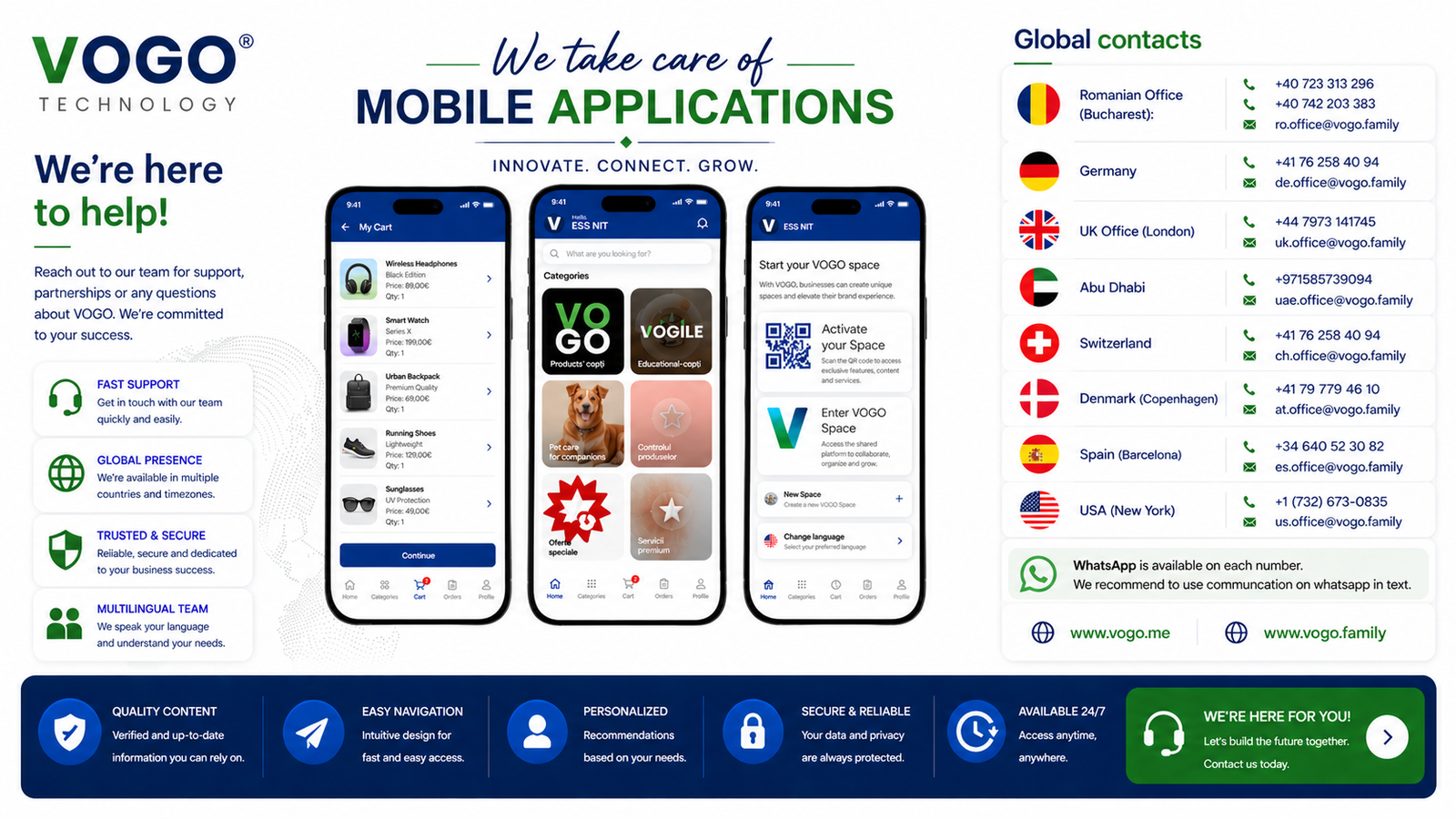
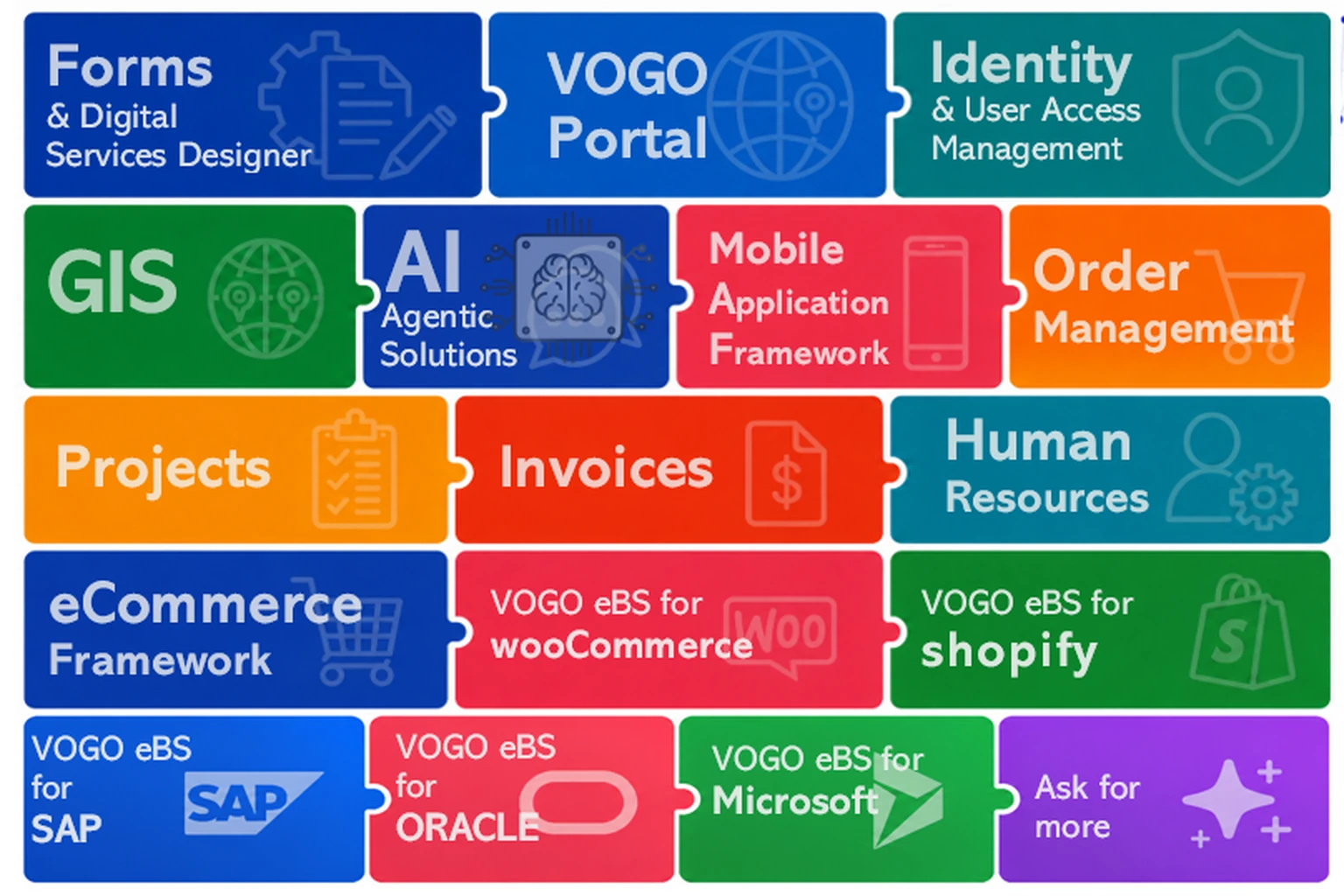 Module funcționale VOGO eBS — suita completă într-o singură imagine.
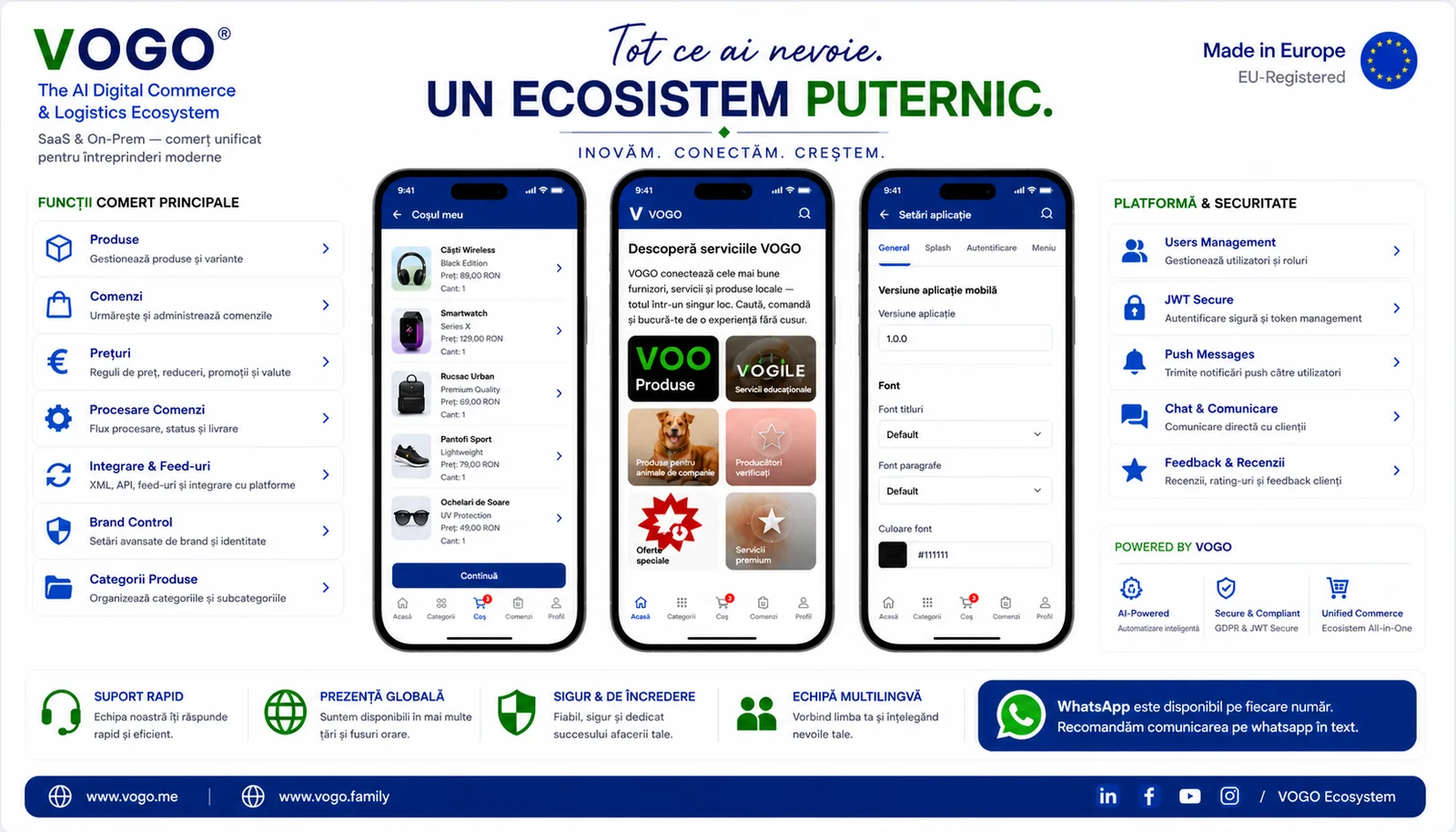 Privire de ansamblu — un ecosistem complet de comerț mobil, integrat end-to-end.
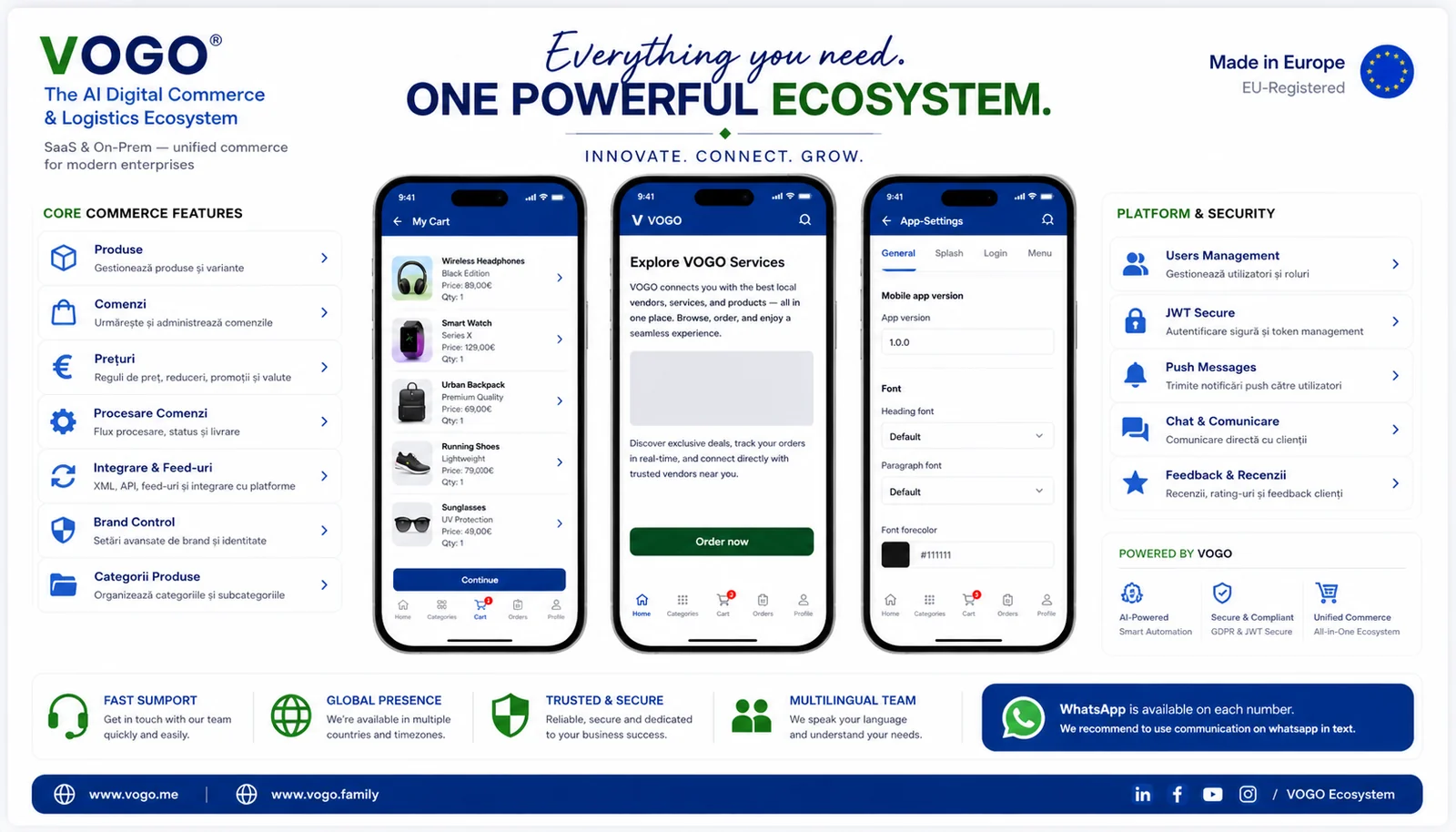 Same overview, English caption — full mobile commerce ecosystem at a glance.
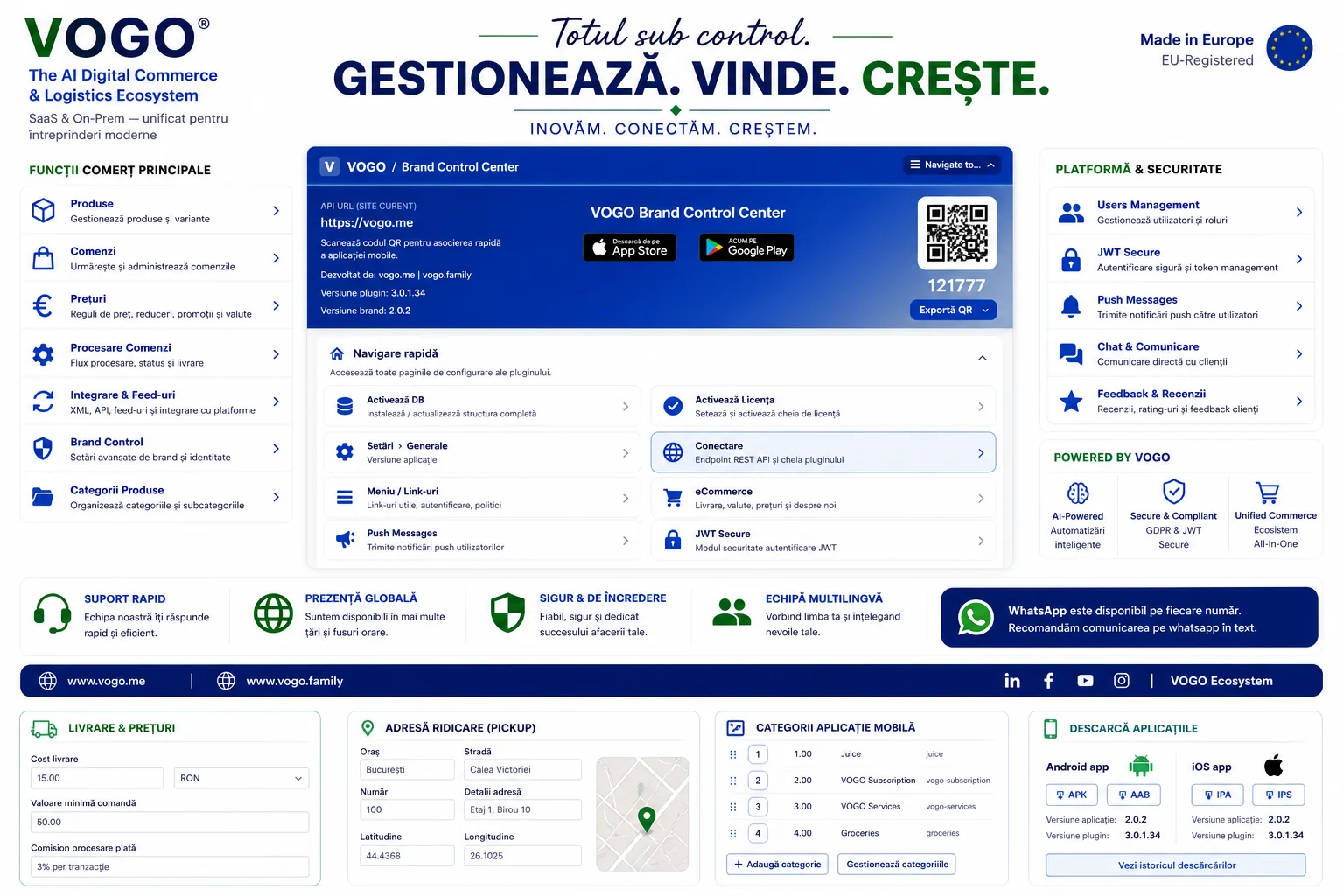 Pluginul VOGO din WordPress — gestionezi catalogul, vinzi și urmărești creșterea dintr-un singur loc.
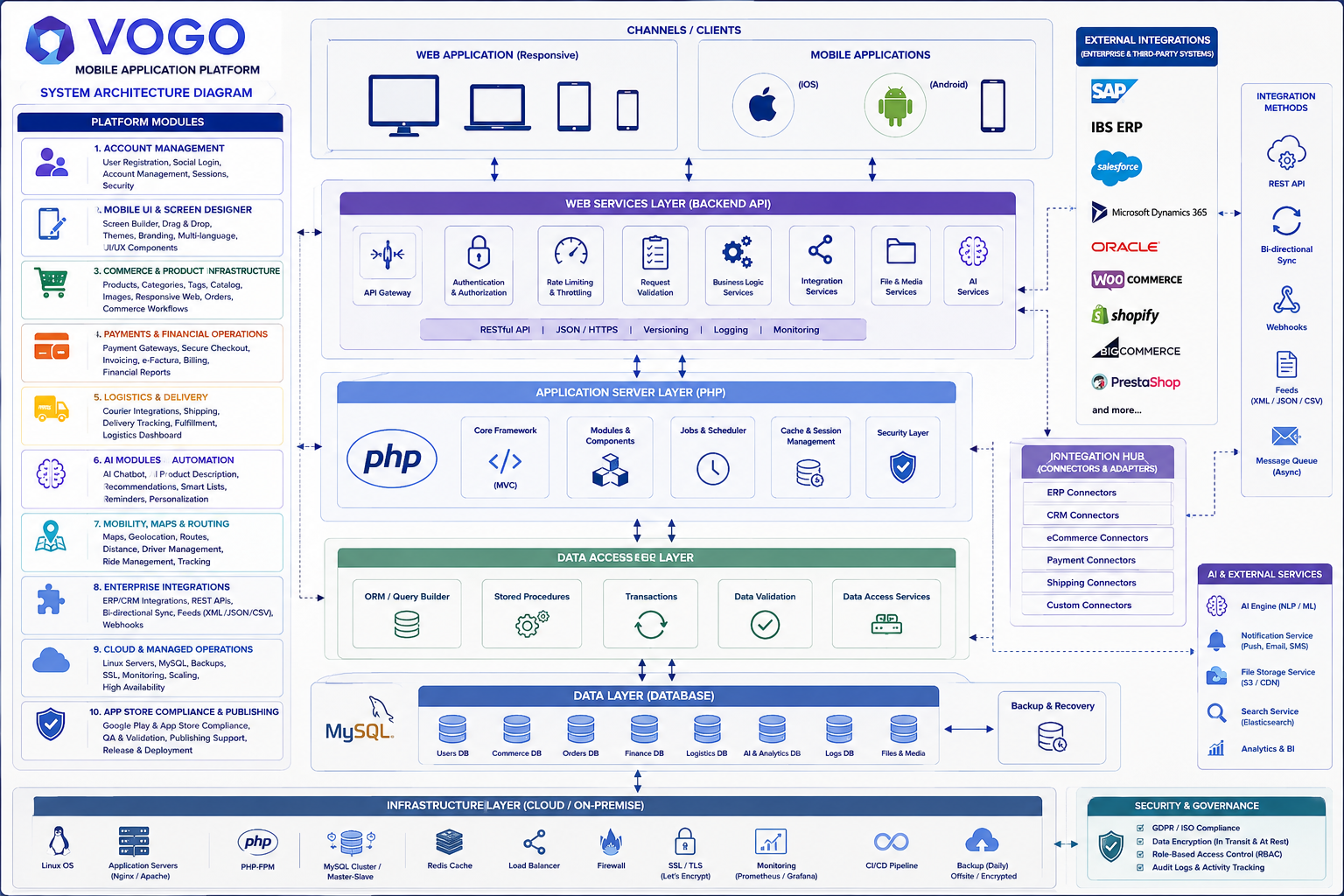 VOGO Enterprise Suite — privire de ansamblu a componentelor.
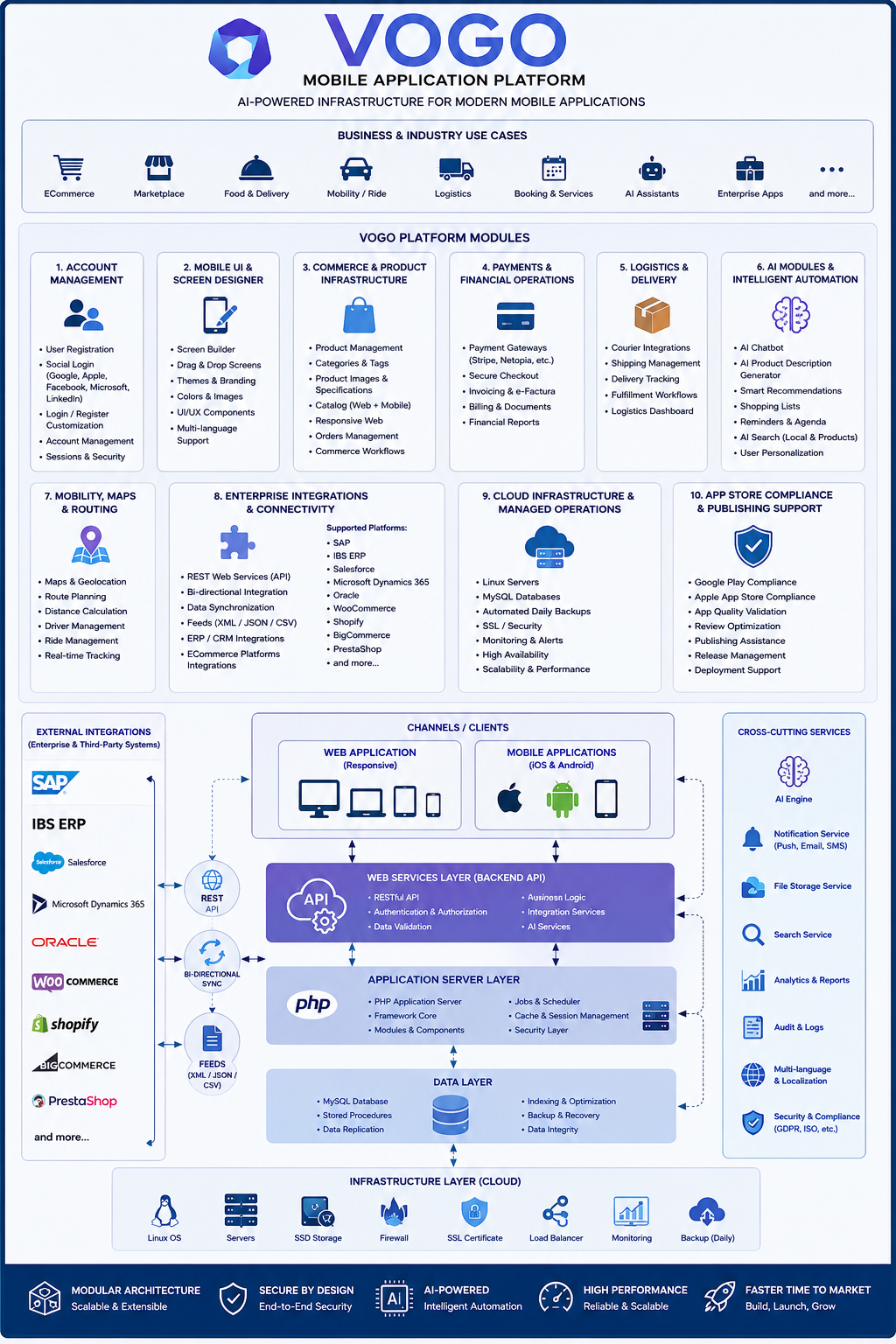 VOGO Enterprise Suite — vedere stack vertical.
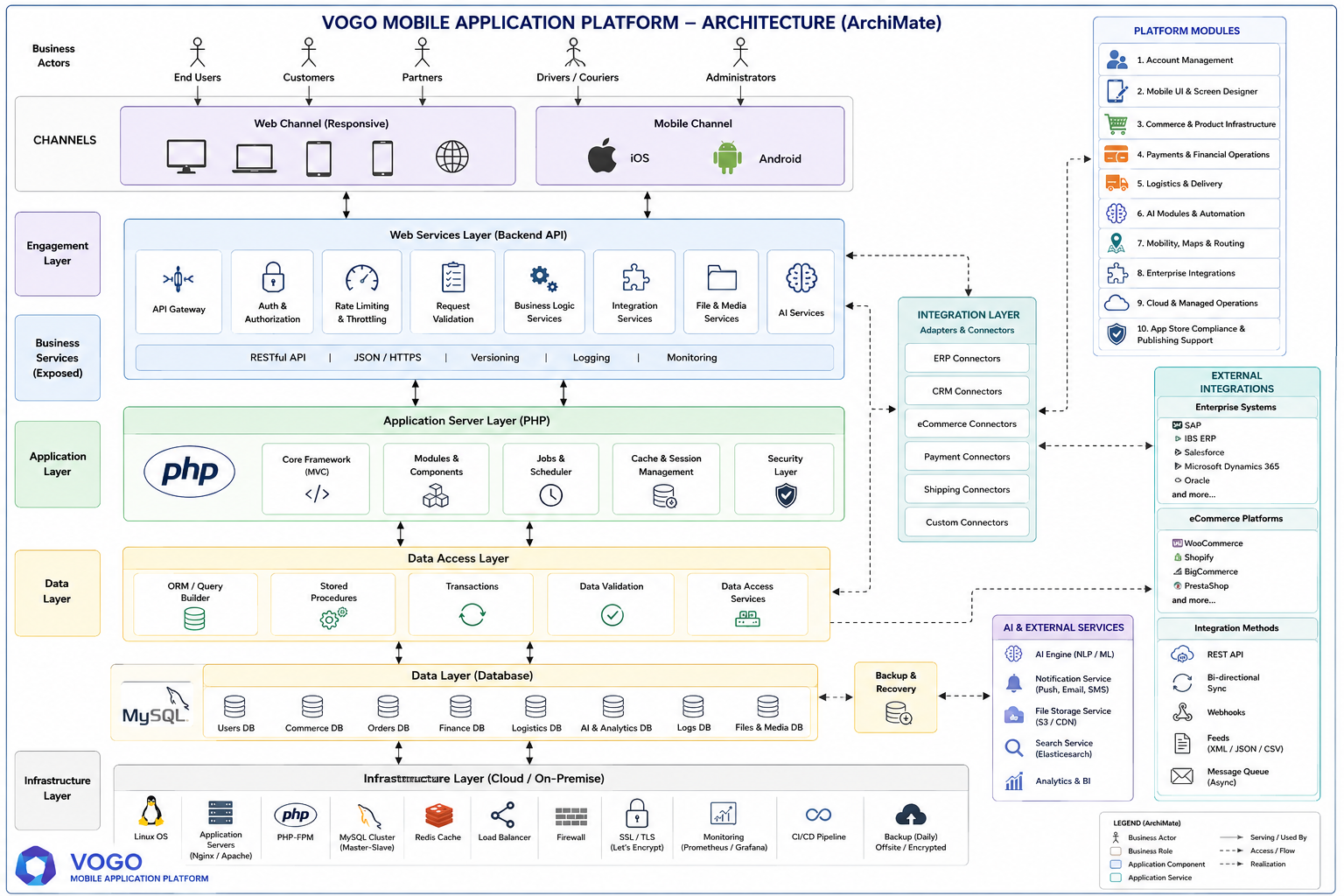 Arhitectură enterprise — vedere ArchiMate.
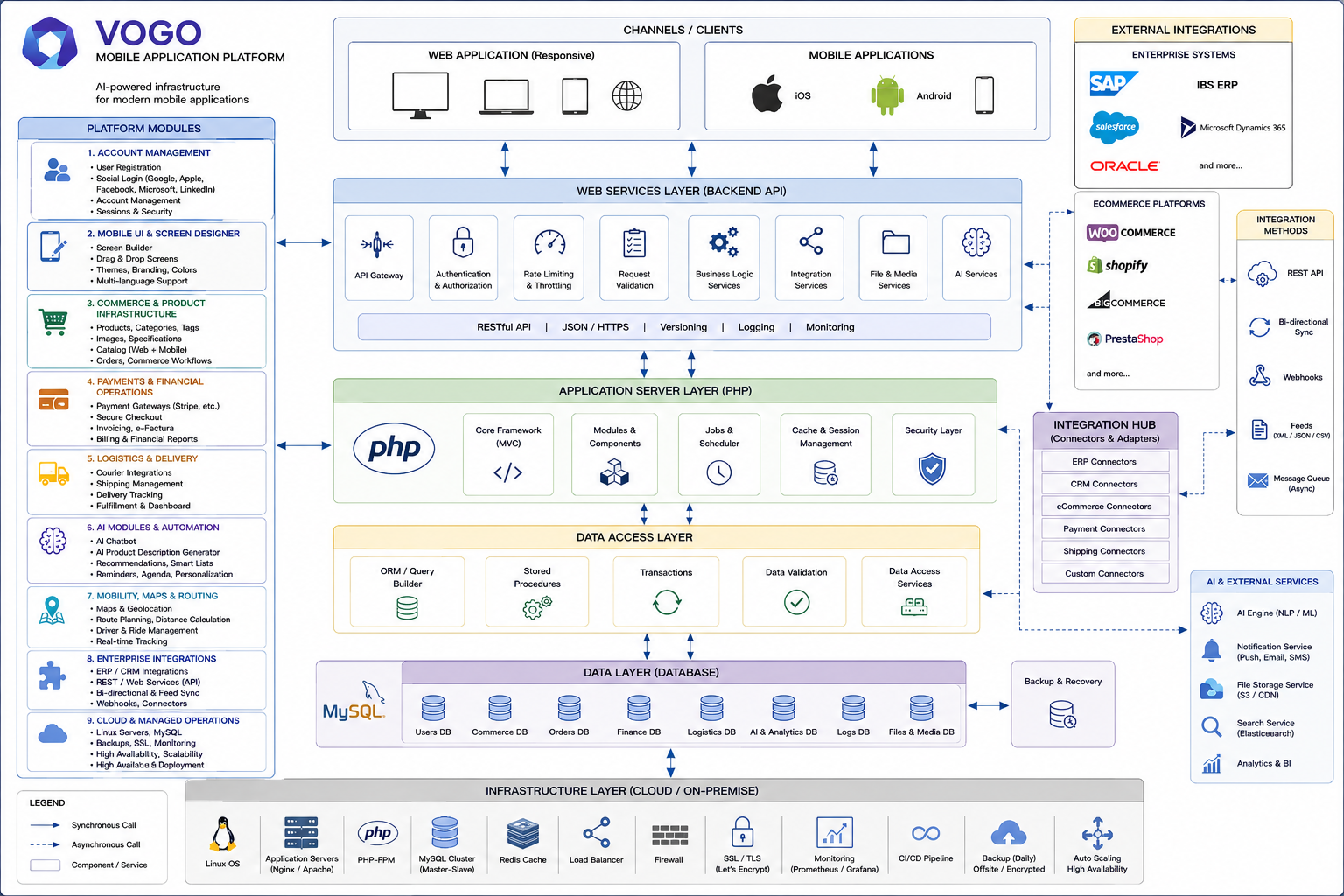 Arhitectură enterprise — diagramă de integrare.
Preview
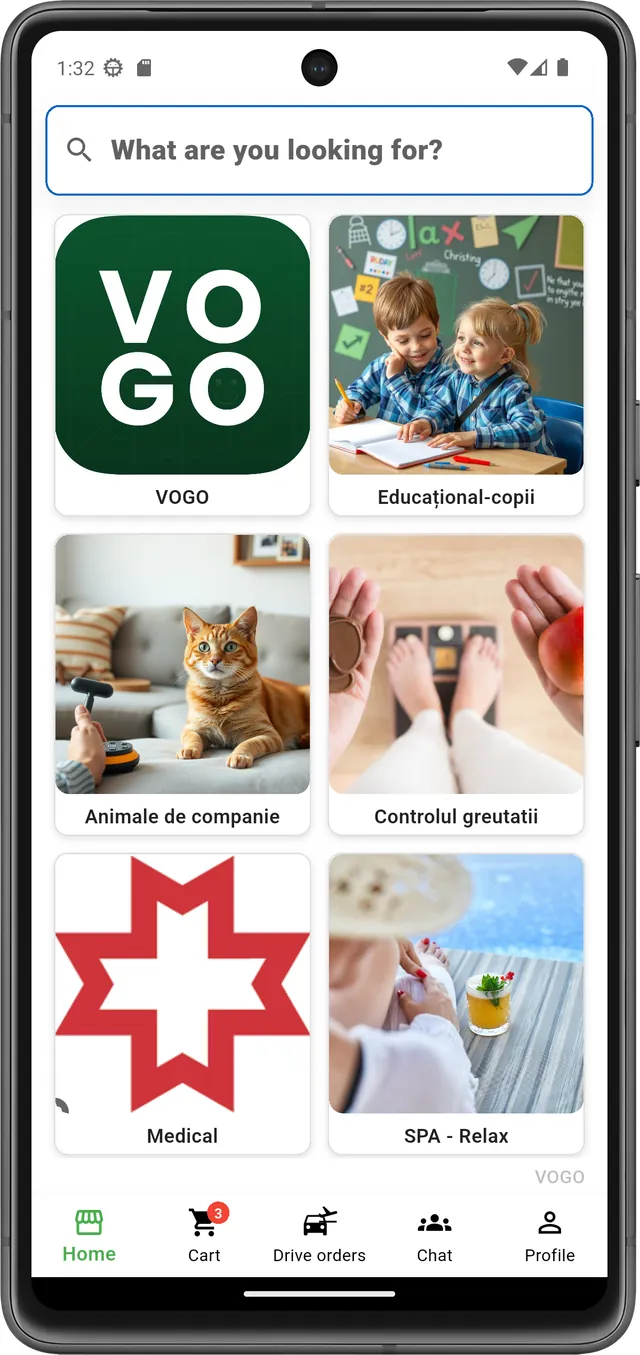
Aplicația ta, cu brandul tău.
Customer service premium — direct, avantaje pentru clienții tăi și pentru afacerea ta.
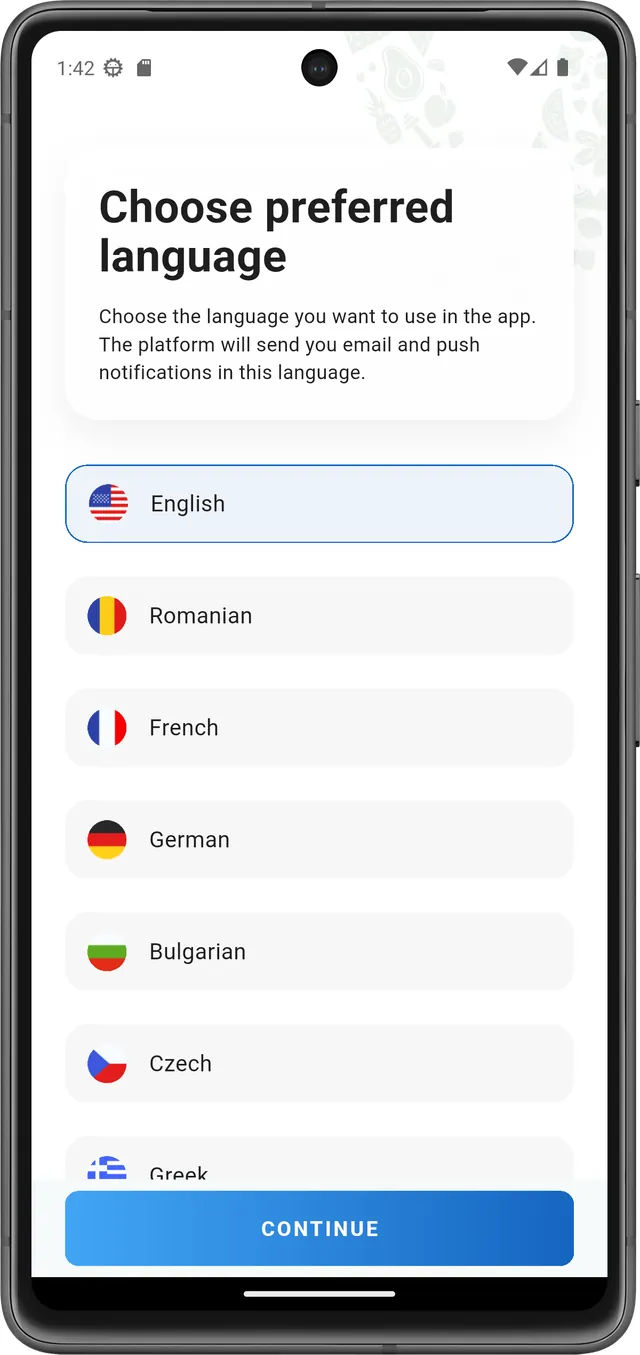
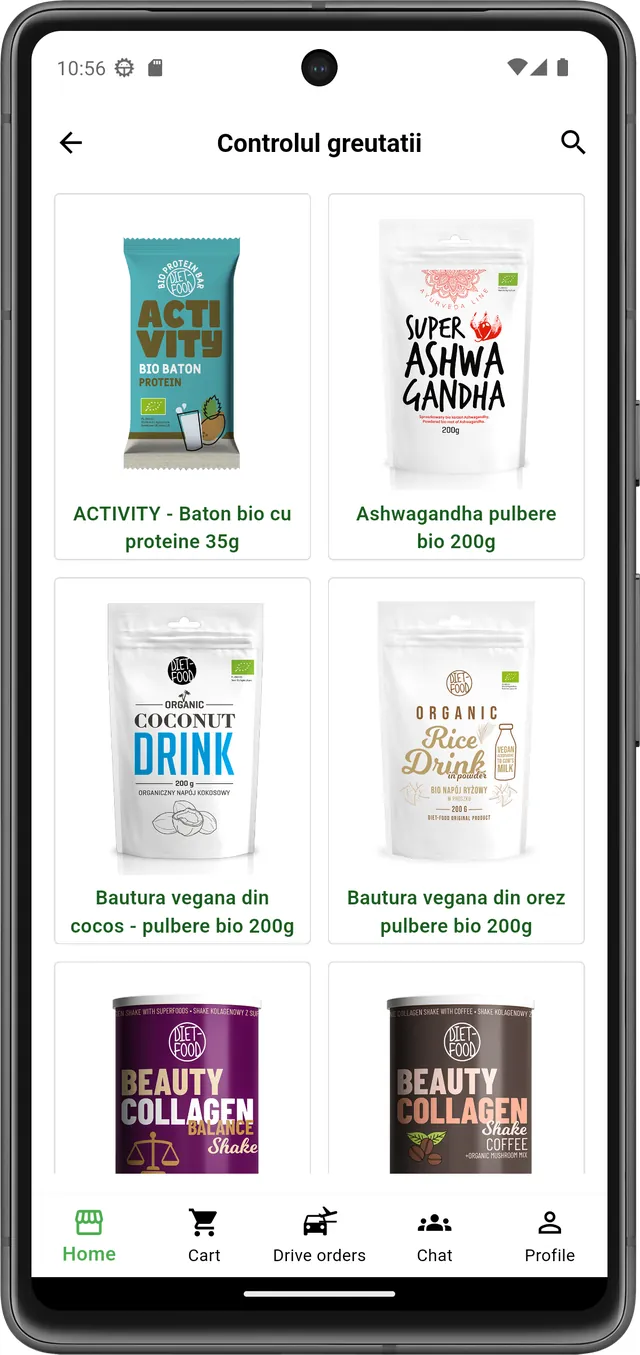
Interfață curată, fluxuri de comandă scurte, mesagerie directă cu clientul — totul personalizat cu logo-ul, culorile și identitatea ta.
Ești în programul partener?
Beneficiază de prețuri preferențiale, account manager dedicat și suport premium inclus.
Vezi programul de parteneriat ›
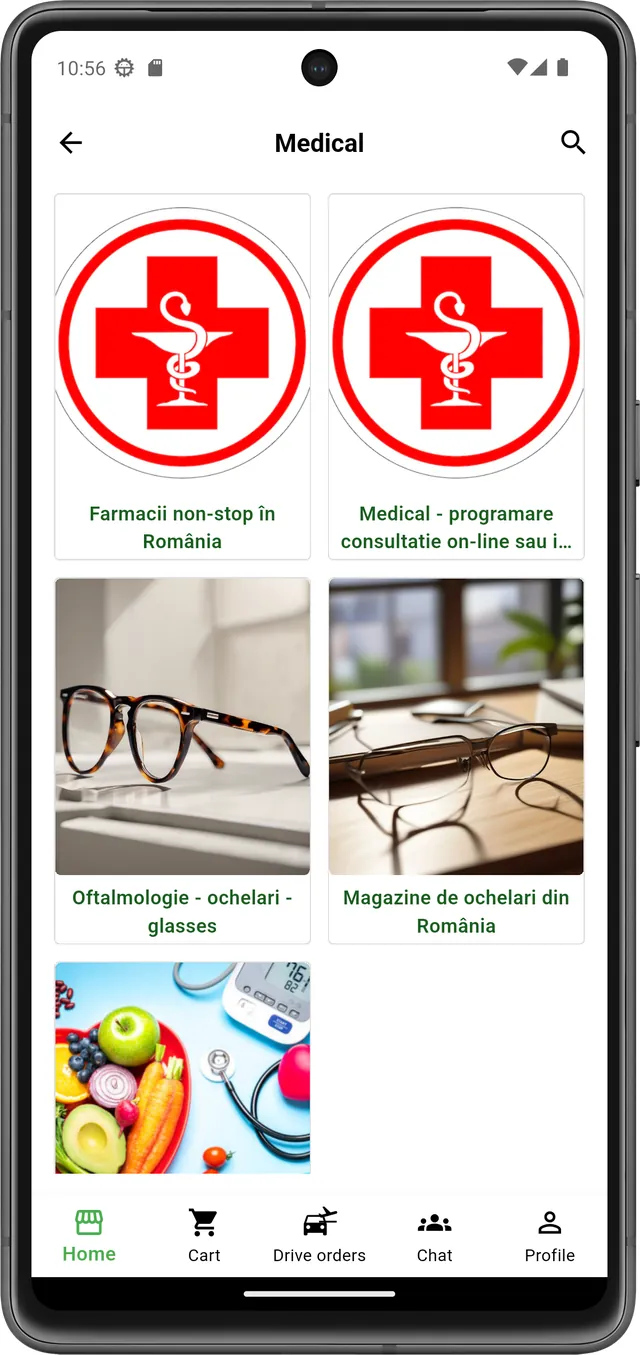
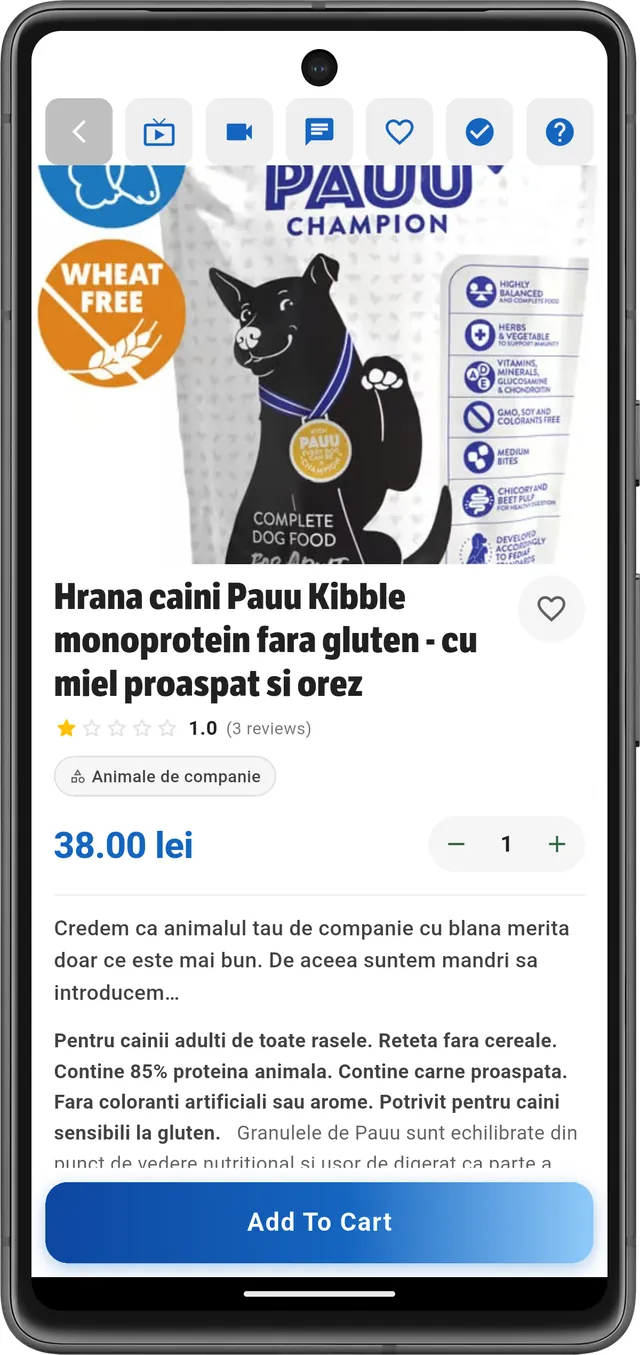
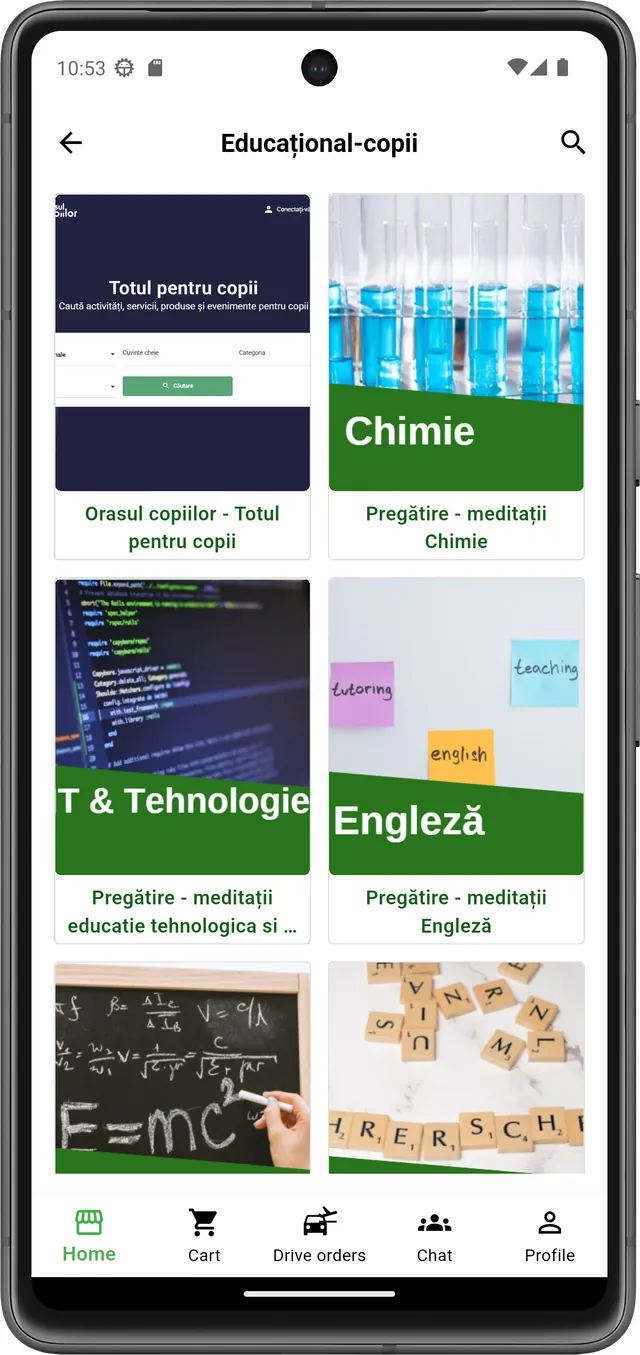
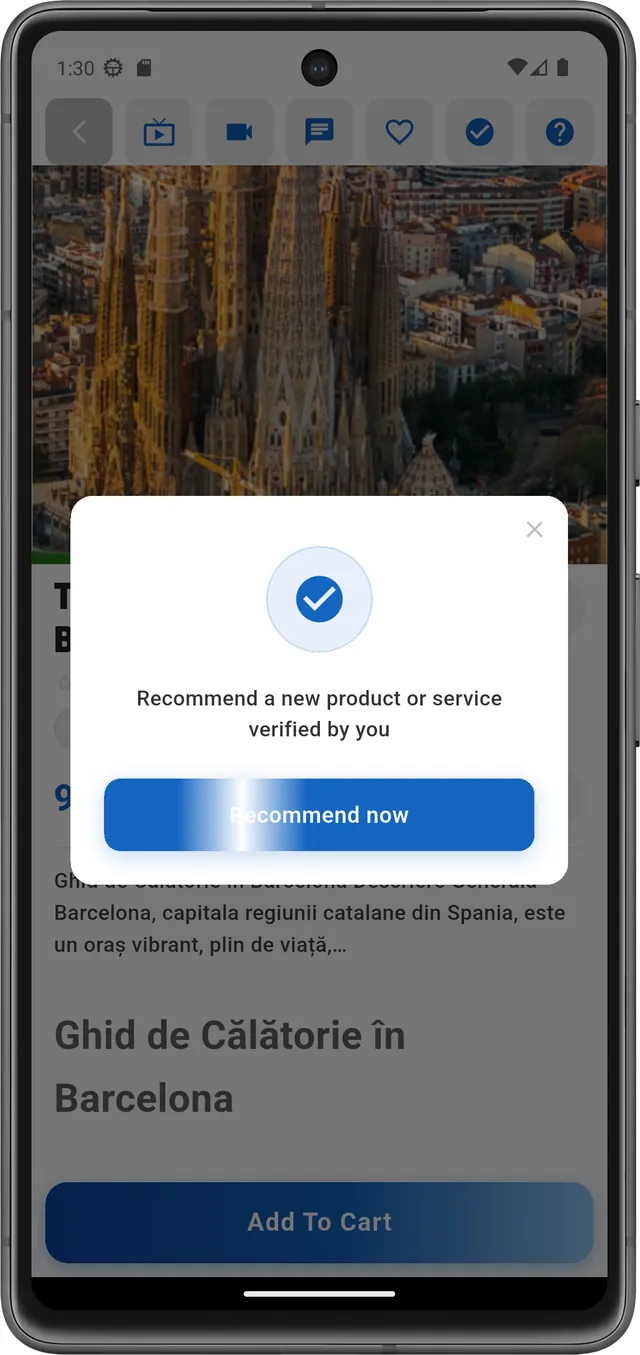
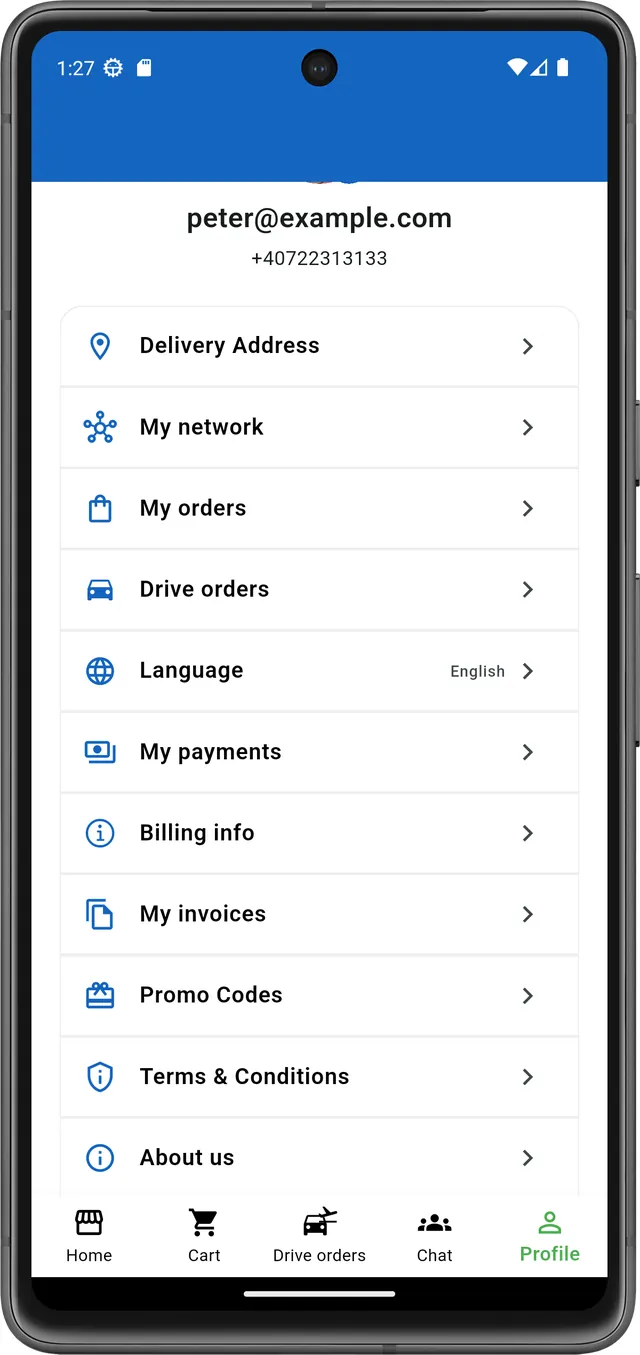
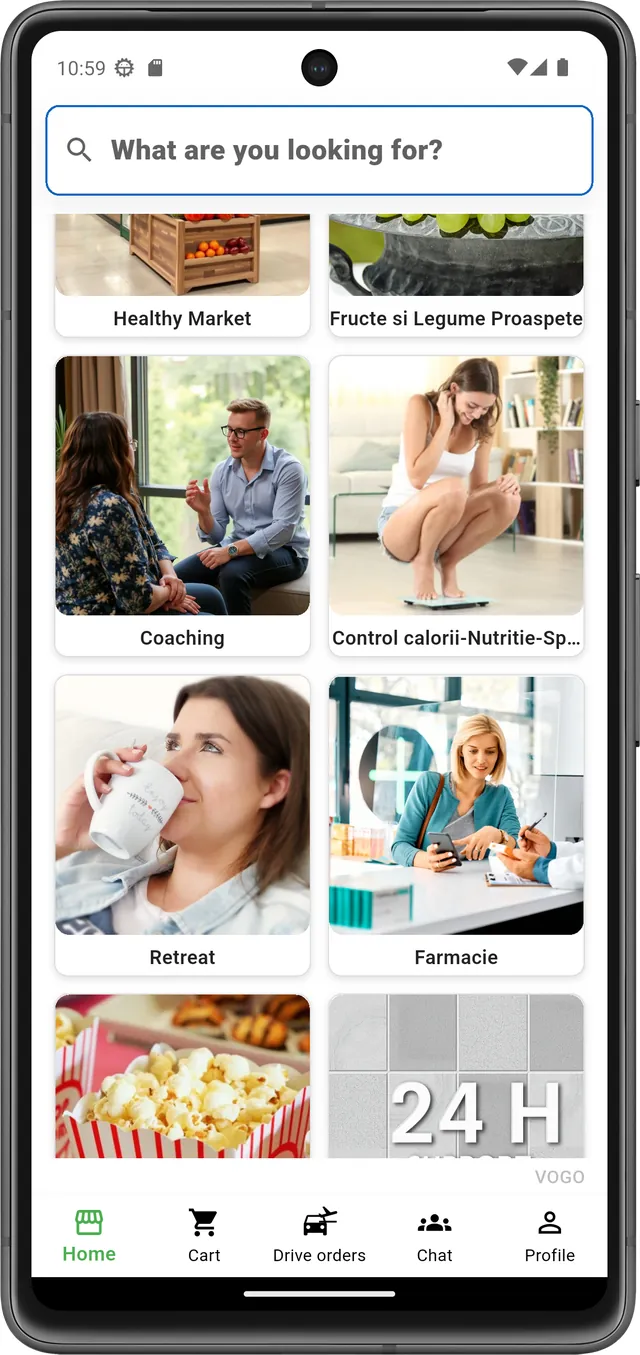
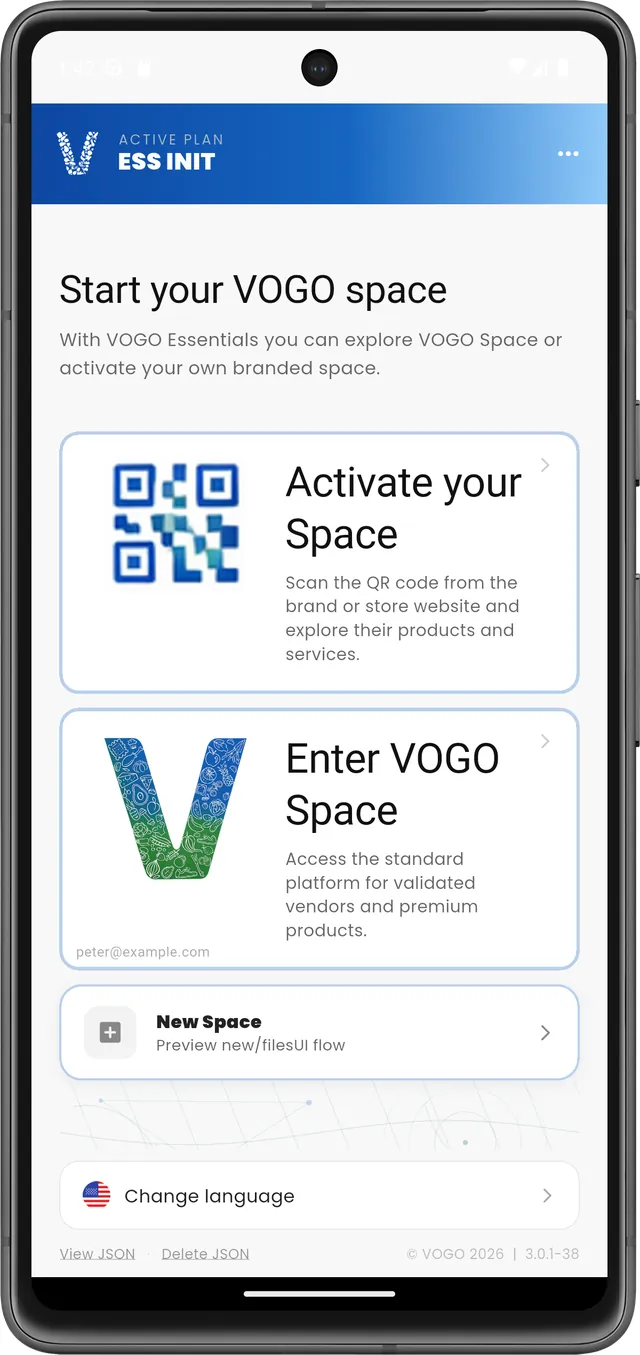
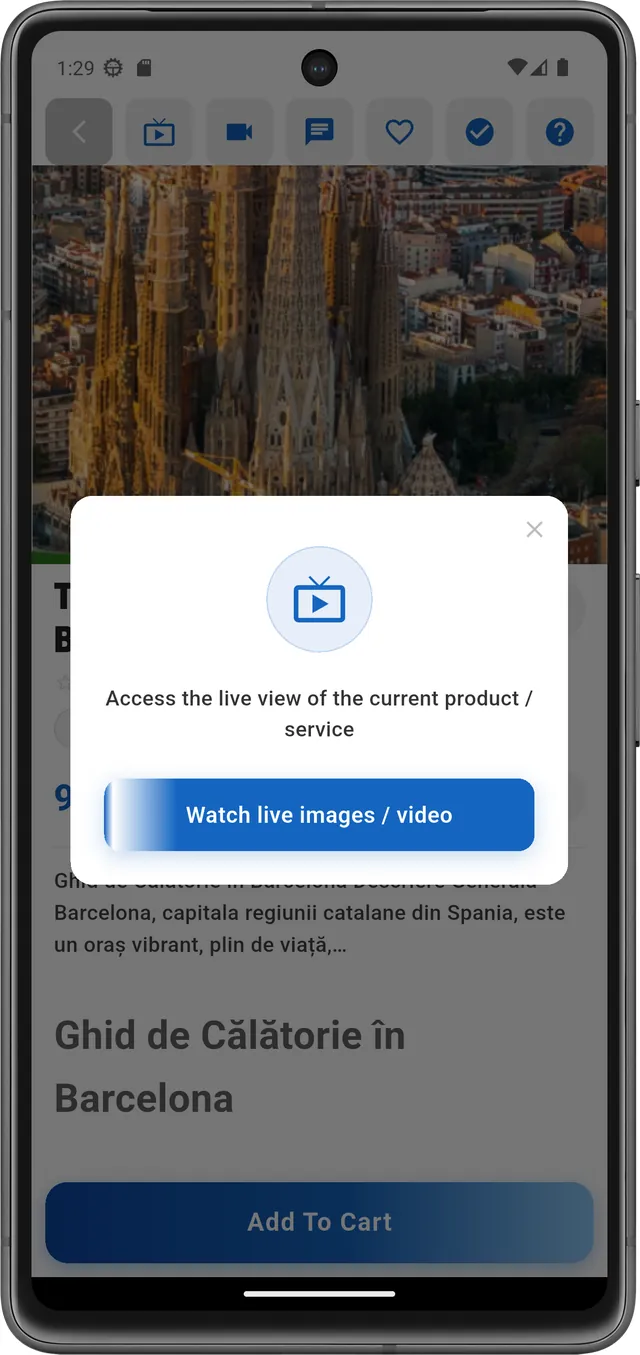
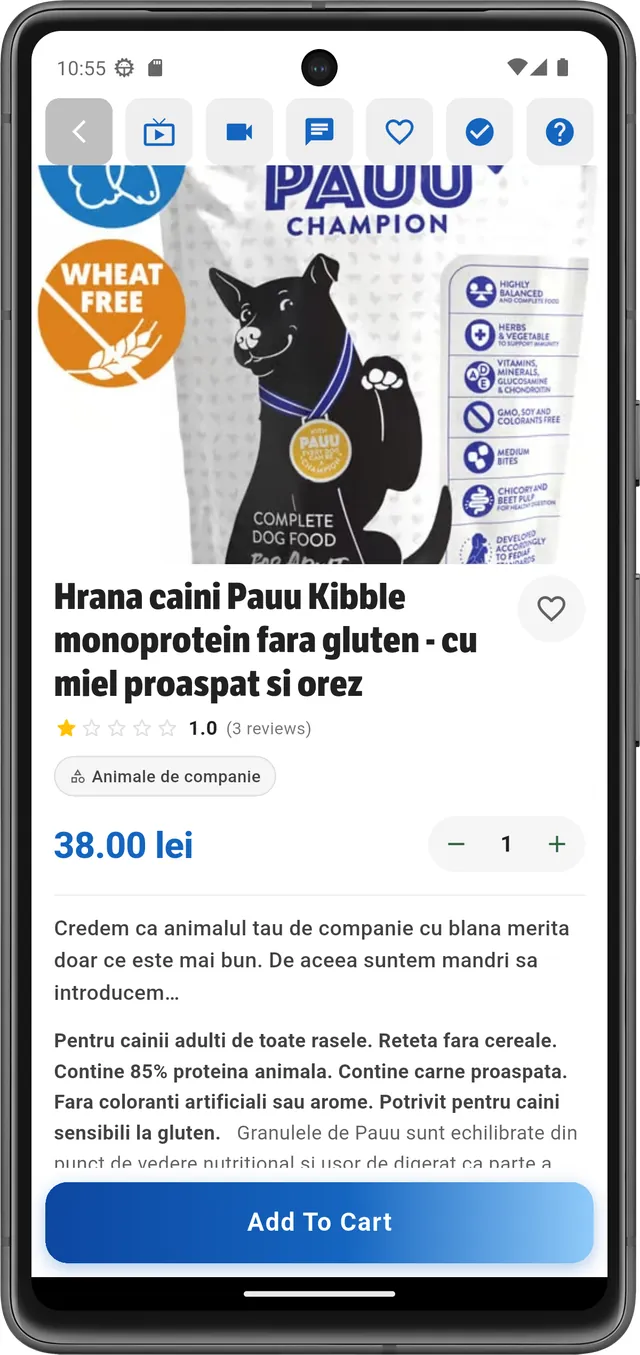
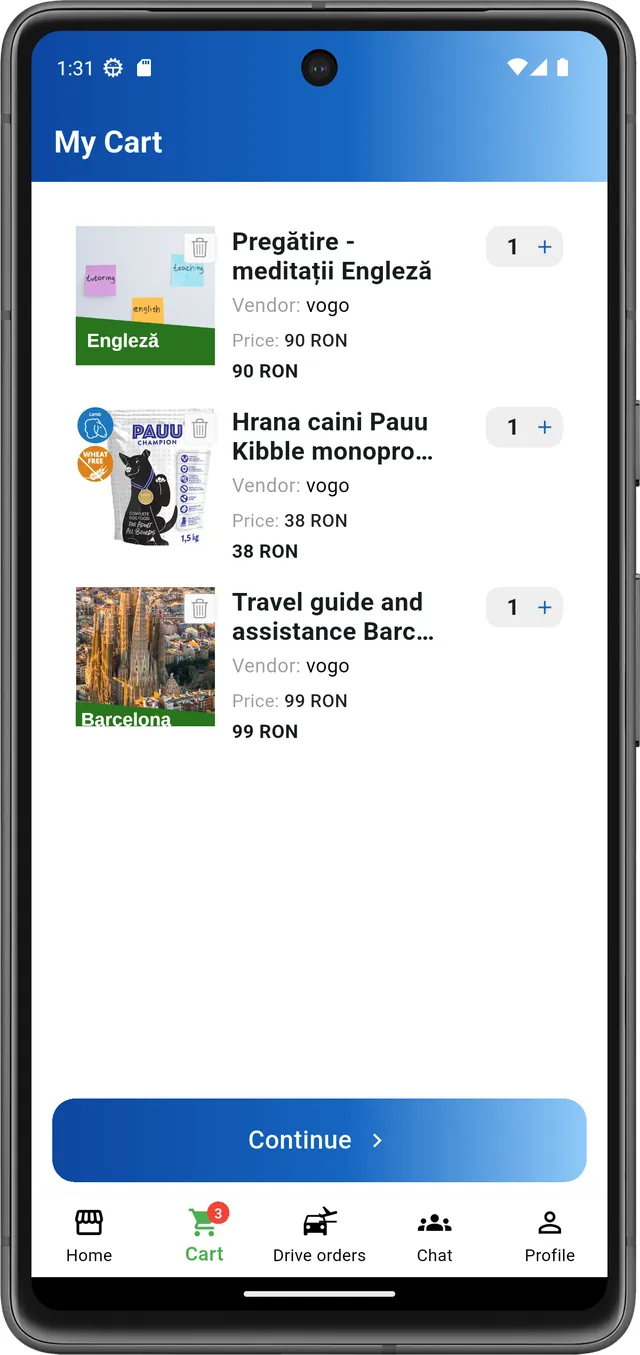
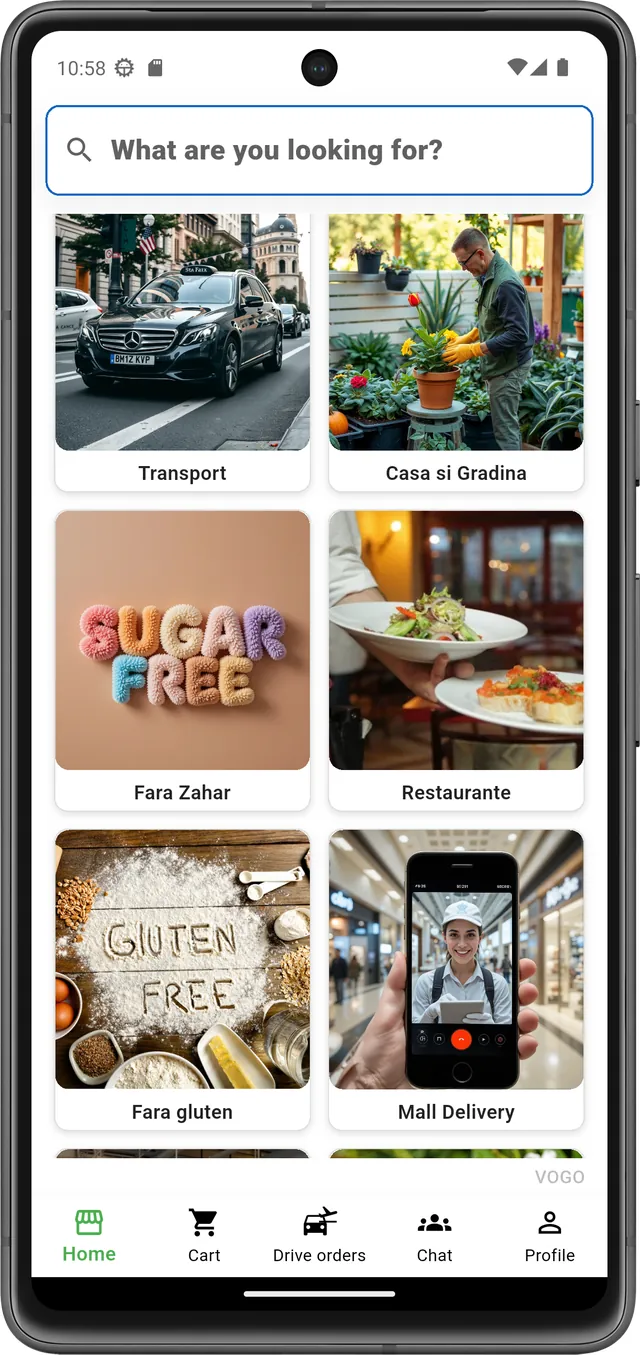
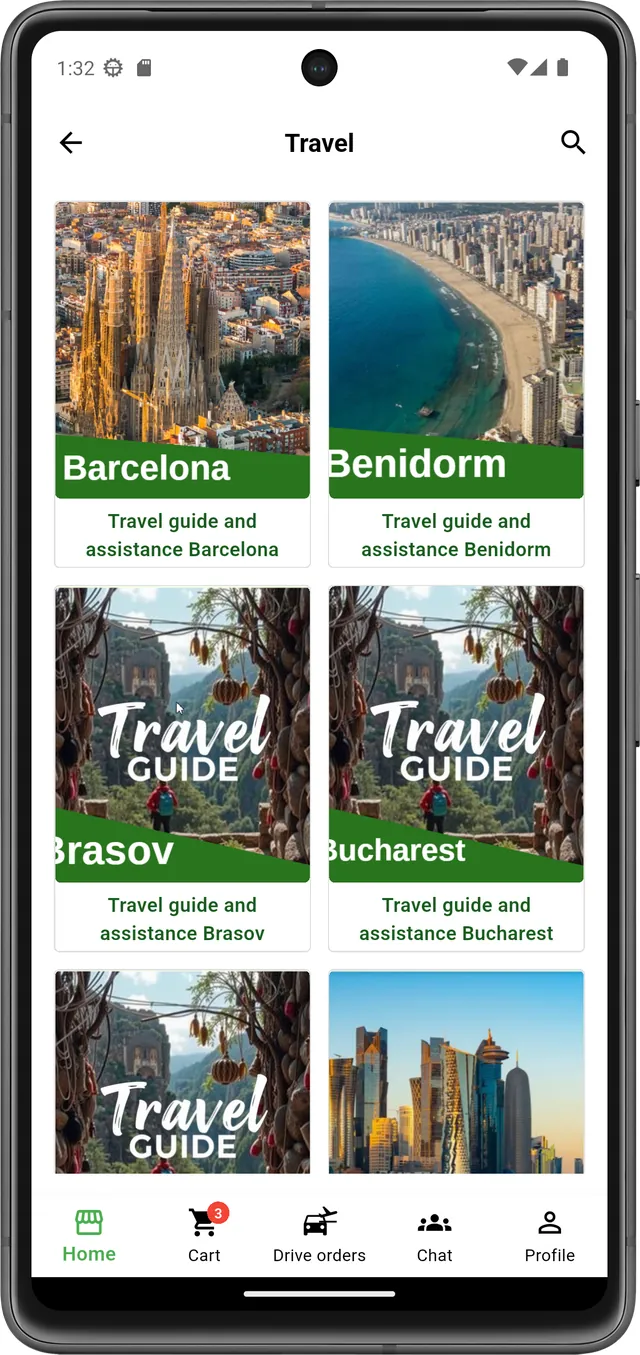
Beneficii și performanță pentru afacerea ta
10–20×
Timp de implementare / Go To Market — redus față de dezvoltare custom
10×
Costuri reduse comparativ cu dezvoltarea de la zero
↑↑↑↑↑
Performanță sporită, susține volume mari de date
Performanță, calitate, suport
Mai mult decât o aplicație mobilă.
Vogo nu vine doar cu o aplicație mobilă. VOGO vine cu un ecosistem modern de comerț, enterprise, prin care firmele partenere pot vinde mai bine, pot reduce comisioanele și pot avea acces rapid la tehnologie pentru care, individual, costurile ar fi de peste zece de ori mai mari, pot genera rapid propriile aplicații mobile publicabile în Apple Store și Google Play.
Module VOGO eBS
VOGO AI Chatbot Inteligent Assistant
Plugin inteligent pentru WordPress, Woocommerce si alte site-uri web care transformă conversațiile în acțiuni concrete. Nu doar răspunde la întrebări, ci execută operațiuni în contul utilizatorului, interacționează direct cu WooCommerce și poate transfera discuția către un operator uman când este nevoie.
VOGO Mobile Applications Creator – iOS & Android
VOGO Mobile App Builder for WooCommerce transformă magazinul tău WordPress într-o aplicație mobilă reală iOS & Android. Generează aplicații native bazate pe Flutter, conectate direct la WooCommerce, cu sincronizare produse, comenzi, conturi utilizator și notificări push — fără WebView, fără compromisuri de performanță.
VOGO Enterprise™ – Aplicatii mobile flexibile
Construim exact ce ai nevoie. VOGO Flexible Enterprise™ este dedicat companiilor care au cerințe specifice și procese unice. Adaptăm arhitectura, funcționalitățile și integrările în jurul business-ului tău – nu invers. Rezultat: tehnologie care se mulează pe business-ul tău, nu business-ul pe tehnologie
VOGO Bricolage M Series™ – AI Omnichannel pentru Retailul de Bricolaj
Transformă magazinul de bricolaj într-o experiență inteligentă, asistată de AI. VOGO Bricolage M Series™ este o soluție specializată pentru magazine de bricolaj care combină asistent conversațional avansat, ghidare digitală în magazin și integrare completă cu sistemele operaționale existente.
VOGO Retail X Series™ – AI Sales Engine pentru Food & General Retail
VOGO Retail X Series™ este soluția dedicată pentru food retail și magazine generale, concepută pentru a crește conversia și valoarea coșului prin recomandări inteligente și interacțiune contextuală în timp real. Asistentul AI oferă sugestii personalizate în funcție de comportamentul clientului.
VOGO Hospitality H Series™ – AI Omnichannel pentru HoReCa & Hospitality
Transformă restaurantele, hotelurile și businessurile HoReCa într-un ecosistem digital inteligent. VOGO Hospitality H Series™ integrează aplicații mobile, comenzi online, rezervări, meniuri digitale, recomandări AI, fidelizare clienți și automatizarea interacțiunilor comerciale într-o platformă modernă, scalabilă și ușor de implementat.
VOGO eBS Portal™ – Unified Command Center
Portalul central al ecosistemului VOGO eBS, creat pentru acces rapid, control operațional și administrare unificată. Dintr-un singur tablou de bord modern, utilizatorii pot gestiona module, configurări, rapoarte, defini pagini noi, integrări și instrumente AI, cu acces securizat pe roluri și vizibilitate completă asupra operațiunilor.
VOGO eBS Gov Series™ – AI eBusiness Suite pentru eGovernment
Digitalizează serviciile publice printr-o platformă AI integrată pentru administrație, cetățeni și instituții. VOGO eBS Gov Series™ conectează fluxuri operaționale, solicitări online, formulare, notificări și asistență conversațională într-un ecosistem modern, sigur și scalabil pentru servicii publice digitale.
VOGO Support Services™ – Suport Tehnic Premium
Menține platforma ta stabilă, securizată și optimizată permanent. VOGO Support Services™ oferă suport tehnic specializat pentru ecosisteme WooCommerce, aplicații mobile și integrări AI, asigurând funcționare fără întreruperi și intervenție rapidă în situații critice. Monitorizare proactivă, actualizări controlate, optimizare de performanță, audit de securitate.
VOGO Storage Services™ – Infrastructură Cloud Sigură și Scalabilă
Performanță stabilă, securitate avansată și scalabilitate pentru platformele tale digitale. VOGO Storage Services™ oferă infrastructură cloud optimizată pentru WooCommerce, aplicații mobile și soluții AI, construită pe arhitectură performantă și mediu de hosting enterprise-grade.
VOGO Services: Build • Migrate • Integrate
Lansăm, migrăm și integrăm rapid platforma ta digitală.
De la construcție completă WooCommerce, la migrare securizată și integrare cu sisteme externe
(ERP, plăți, CRM, API-uri).
Nu aveți încă un website pe WordPress? Nicio problemă. Il facem noi sau ne integram cu platforma ta prin
feed-uri automate sau servicii web.
Recommended Plugins – Extensii Verificate pentru Performanță Maximă si Eficienta
Pluginuri selectate strategic pentru stabilitate, securitate și conversie ridicată. VOGO Recommended Plugins reprezintă o colecție curată și validată de extensii WooCommerce și WordPress, testate pentru compatibilitate, performanță și integrare perfectă în ecosistemul VOGO.
VOGO eBS eCommerce Suite™ – AI Digital Commerce & Logistics Ecosystem
Platformă completă pentru lansarea rapidă a magazinelor online, marketplace-urilor, portalurilor comerciale și aplicațiilor mobile conectate. VOGO eBS eCommerce Suite™ integrează catalog produse, coș, checkout, plăți online, comenzi, facturare, livrare, raportare BI și asistență AI într-un ecosistem digital scalabil.
VOGO eBS GIS™ – Geographic Intelligence & Spatial Data Platform
Transformă datele geografice în instrumente digitale utile pentru decizie, monitorizare și intervenții în teren. VOGO eBS GIS™ oferă hărți interactive, layere geospațiale, geocodare, integrare cu formulare și portaluri, aplicații mobile offline și dashboard-uri pentru analiză spațială.
VOGO eBS Forms™ – Smart Forms & Digital Requests
Creează formulare digitale, cereri online și fluxuri de solicitare fără dezvoltare complexă. VOGO eBS Forms™ permite configurarea câmpurilor, atașarea documentelor, semnătură olografă digitală, integrare cu hartă GIS, validări, notificări și generare automată de PDF-uri.
VOGO eBS ECM – Enterprise Content and Document Management
VOGO eBS integrează o componentă ECM open-source bazată pe Alfresco Community Edition, configurată, securizată, documentată și extinsă de VOGO cu servicii enterprise, suport, mentenanță și customizări. Integrare cu Portal, Forms, GIS și sisteme enterprise.
VOGO eBS Integrations™ – API, ERP & Enterprise Connectors
Conectează aplicațiile, datele și procesele organizației într-un ecosistem digital coerent. VOGO eBS Integrations™ oferă integrare prin API, servicii web, feed-uri automate și conectori enterprise pentru SAP, Oracle eBS, Microsoft Dynamics 365, CRM, plăți, curierat, BI și sisteme custom.
VOGO eBS BI™ – Dashboards, Reports & Business Insights
Transformă datele operaționale în rapoarte clare, dashboard-uri interactive și indicatori relevanți pentru decizie. VOGO eBS BI™ permite monitorizarea vânzărilor, comenzilor, utilizatorilor, proceselor, serviciilor digitale și performanței operaționale într-o interfață modernă și ușor de urmărit.
VOGO eBS Identity™ – SSO, ROeID, eIDAS & Secure Access
Securizează accesul utilizatorilor prin mecanisme moderne de autentificare și control al identității digitale. VOGO eBS Identity™ susține SSO, ROeID, eIDAS, JWT, OTP, 2FA, social login, roluri, permisiuni și audit complet pentru aplicații web, mobile și portaluri enterprise.
Ghid video
Vezi în acțiune.
Patru filme scurte. Fără autoplay, fără reclame.
Activare plugin #eCommerce
Configurare directă din panoul WordPress / WooCommerce, pas cu pas.
~3 min
Aplicație mobilă smart, în minute
VOGO App Creator — construiește-ți aplicația, fără cod, fără bătăi de cap.
~1 min
Activează aplicatia mobile pentru brandul tau
Aplicație mobilă nativă cu identitatea ta — în câteva minute.
~1 min
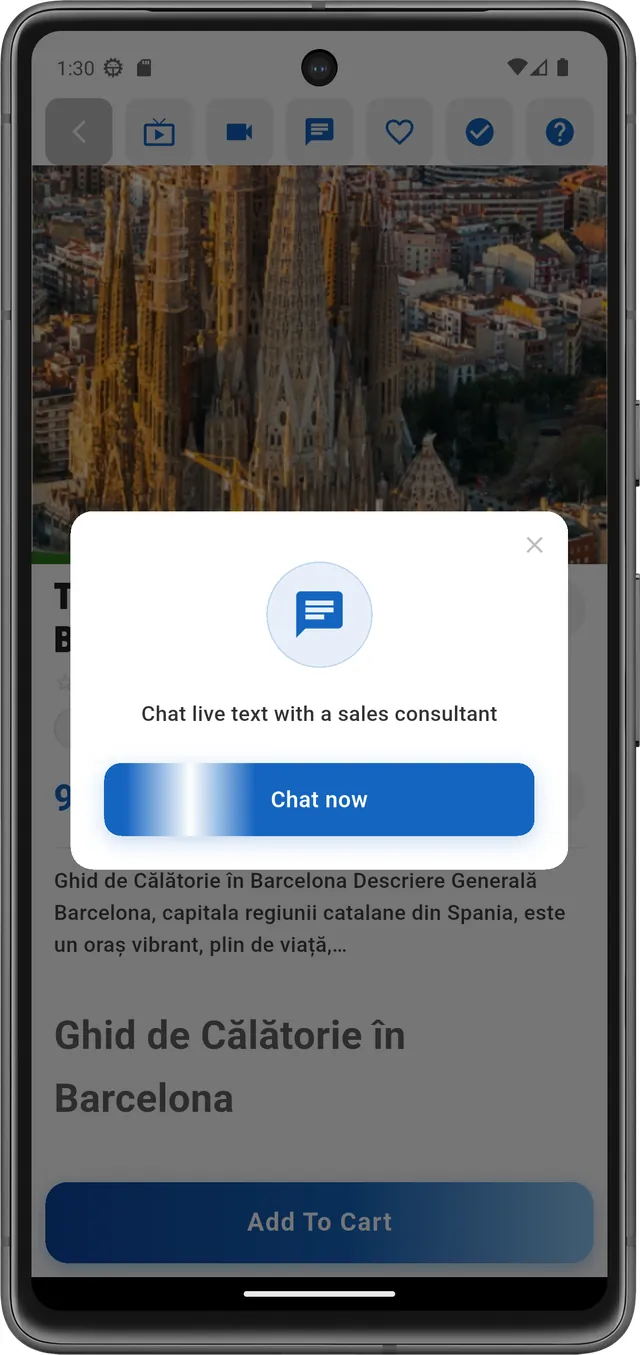
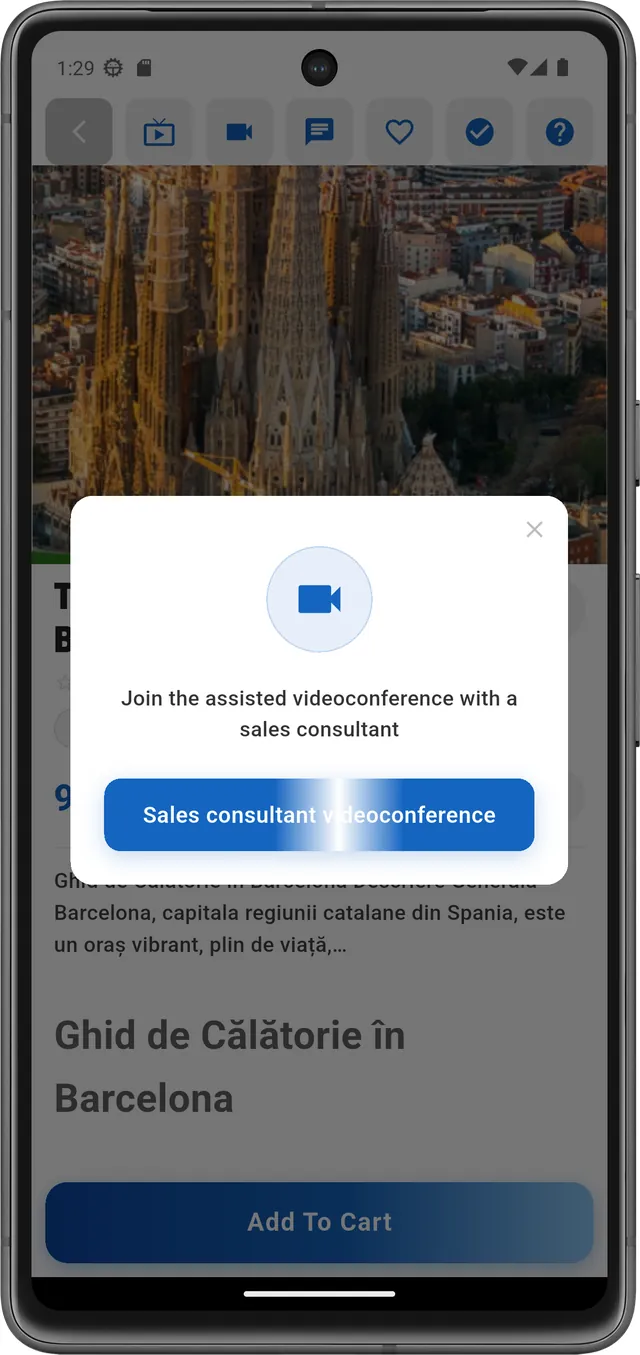
Videoconferință și chat integrat în mobile app
Comunicare smart all-in-one cu clienții tăi, direct în aplicație.
~1 min
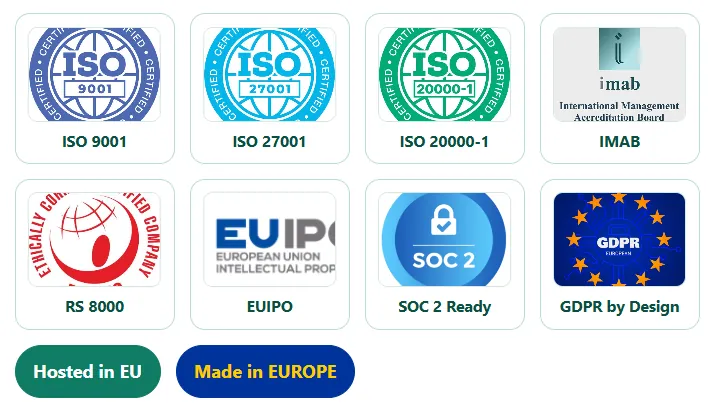
Certificari
Credibilitate reală, produse validate
Livrăm produse robuste, documentate și conforme. De la securitate și protecția datelor până la proprietate intelectuală și conformitate, dezvoltam aplicatii software validate, aliniate mediilor de business unde încrederea se câștigă prin dovezi.



Echipa și experiență
Proiectele noastre sunt livrate de arhitecți software, consultanți și programatori cu experiență reală în programe digitale la scară națională și internațională, în industrii reglementate și medii enterprise.
Arii de experiență
Echipa VOGO a proiectat și livrat soluții enterprise complexe în sectoare cu cerințe ridicate de conformitate, securitate și scalabilitate:
E-guvernare centrală
Administrație publică locală
Sectorul bancar
Energie & utilități
Reglementare & autorități
Telecomunicații
Industrie & producție
Retail & comerț
Sectorul privat internațional
Pensii & asigurări sociale
Oil & gas
Sănătate & veterinar
Peste 20 de ani de experiență în arhitectura și livrarea soluțiilor digitale la scară națională, cu proiecte acoperind milioane de utilizatori finali.
Certificări profesionale
Competențele tehnice și de management sunt susținute de certificări, cursuri și programe de formare relevante pentru proiecte enterprise, dezvoltare software, arhitectură de sistem, baze de date, securitate, project management și calitate software.
Inteligență artificială & securitate software
Certificare AI Agent Development
Certificare avansată de inginerie AI: APIs LLM, construirea și orchestrarea agenților autonomi, RAG (Retrieval-Augmented Generation), LangChain, LangGraph, stocarea bazelor de date vectoriale, MCP (Model Context Protocol), orchestrare multi-agent, optimizare ML și securitate în aplicații AI.
Developing Secure Software (LFD121) — Linux Foundation
Securitatea aplicațiilor software de-a lungul întregului ciclu de dezvoltare: threat modeling, scriere cod sigur, gestionarea dependențelor, testare securitate, conformitate și standarde internaționale de securitate aplicativă.
Management de proiect, tools & metodologii
Project Management Practice Exam — Management and Strategy Institute
Evaluare avansată a competențelor în managementul proiectelor conform standardelor internaționale.
Agile Design Certification — University of Virginia
Metodologii agile aplicate în designul produselor și sistemelor digitale, iterație rapidă, colaborare și livrare continuă de valoare.
Project Management Professional (PMP) Training — PMI
Standard internațional în managementul proiectelor: planificare, execuție, control și livrare proiecte complexe cu echipe distribuite și bugete semnificative.
CMMI Introduction (v1.1) — Carnegie Mellon Software Engineering Institute (SEI)
Capability Maturity Model Integration — cadrul de referință pentru maturitatea proceselor software și îmbunătățire continuă organizațională.
Kanban System Design — KMP Foundations I — LeanKanban University
Proiectarea și implementarea sistemelor Kanban în medii de livrare software: vizualizare flux, limitare WIP, management blocaje și îmbunătățire continuă.
PRINCE2 — PRojects IN Controlled Environments
Metodă structurată de management de proiect orientată pe procese: justificare de business continuă, controlul etapelor, roluri și responsabilități clare și livrare guvernată.
JIRA Ticketing System
Configurare și administrare fluxuri de tichete și board-uri agile (Scrum/Kanban) în Atlassian Jira: workflow-uri custom, sprinturi, urmărirea issue-urilor și raportare.
ITIL Foundation — IT Service Management
Cadrul de referință pentru managementul serviciilor IT: guvernanță operațională, managementul incidentelor, schimbărilor, problemelor, nivelurilor de servicii și îmbunătățire continuă a livrării serviciilor digitale.
Baze de date & arhitectură tehnică
Oracle Certified Professional — 1Z0-007 SQL — Oracle University
Interogări SQL avansate, optimizare performanță, indexare, guvernanță date și arhitecturi relaționale Oracle.
Oracle Business Intelligence Foundation 10.1.3 — 1Z0-526 — Oracle University
Arhitecturi BI Oracle, modelare date multidimensionale, raportare și dashboard-uri pentru sisteme enterprise.
MS SQL Server 2014 Administration — DBA
Administrare baze de date SQL Server, performanță, backup/recovery și securitate. Oferim servicii de DBA, mentenanță și suport enterprise pentru SQL Server, toate versiunile.
MariaDB DBA Support
VOGO Technology oferă suport și servicii DBA MariaDB — baza de date open-source enterprise utilizată în soluțiile VOGO eBS pentru performanță, scalabilitate și conformitate cu standardele de securitate a datelor în medii de producție.
Arhitectură software, dezvoltare și securitate
Experiența tehnică este completată de formare în dezvoltarea aplicațiilor software sigure, arhitectură software, administrare servere, baze de date și tehnologii enterprise. Zona de securitate software include principii de secure software development, protecția aplicațiilor, bune practici de dezvoltare și abordări necesare pentru sisteme cu cerințe ridicate de audit, trasabilitate și conformitate.
Oracle, baze de date și tehnologii enterprise
Certificările și cursurile din zona Oracle, SQL Server, administrare baze de date, backup & recovery, Oracle WebCenter, Oracle testing și tehnologii enterprise susțin experiența practică în proiecte complexe de DMS, workflow, integrare ERP, raportare, migrare de date și sisteme cu volum mare de informații.
Această zonă acoperă competențe relevante pentru proiecte care implică Oracle, Microsoft SQL Server, MySQL, baze de date relaționale, administrare, optimizare, testare, suport tehnic și integrare cu aplicații business-critical.
Project management, Agile și Kanban
Experiența de coordonare tehnică este completată de formare în project management, Agile, Kanban și metodologii de livrare software. Aceste competențe susțin organizarea echipelor, planificarea etapelor de proiect, prioritizarea activităților, urmărirea livrabilelor, controlul riscurilor și coordonarea între business, echipe tehnice, furnizori și beneficiari.
Calitate software, CMMI și procese organizaționale
Formarea în managementul calității și Capability Maturity Model Integration susține abordarea structurată a proiectelor software: procese clare, documentare, controlul calității, trasabilitate, standardizare, îmbunătățire continuă și livrare predictibilă.
Această experiență este relevantă mai ales în proiecte enterprise, instituționale sau reglementate, unde calitatea procesului de livrare este la fel de importantă ca soluția tehnică finală.
AI, automatizare și tehnologii moderne
Zona de inteligență artificială este acoperită prin formare și practică aplicată în utilizarea modelelor AI, integrarea serviciilor LLM, automatizare, procesare documente, căutare inteligentă, chatbot, asistenți conversaționali și fluxuri moderne bazate pe AI.
Aceste competențe susțin dezvoltarea de aplicații enterprise care includ natural language search, asistenți AI, procesare automată de documente, automatizare de suport, integrare cu modele LLM și optimizarea interacțiunii dintre utilizatori și sistemele digitale.
Competențe complementare
Certificările și cursurile includ și zone complementare importante pentru livrarea de proiecte complexe: comunicare în limba engleză, lucru în echipă, computer fundamentals, testare, administrare sisteme și suport tehnic. Aceste competențe completează profilul tehnic cu abilități necesare în proiecte multi-disciplinare, multi-vendor și internaționale.
Sinteză
Certificările profesionale susțin un profil tehnic și managerial echilibrat, cu acoperire pe arhitectură software, dezvoltare securizată, baze de date, Oracle, SQL Server, project management, Agile, Kanban, calitate software, CMMI, AI și livrare enterprise. Această combinație permite abordarea proiectelor complexe atât din perspectivă tehnică, cât și operațională, cu accent pe calitate, securitate, scalabilitate și rezultate concrete.
Experiență reprezentativă
Proiecte și livrări reprezentative din portofoliul echipei VOGO, pe industrii și domenii tehnologice cu cerințe ridicate de conformitate și scalabilitate.
-
E-guvernare — Autorități centrale
Arhitectură și implementare sisteme complexe de e-guvernare și servicii pentru cetățeni pentru ministere și autorități naționale — sisteme de management al documentelor la scară națională, fluxuri digitale complete (înregistrare → revizuire → aprobare → arhivare), portaluri de servicii publice cu autentificare ROeID și eIDAS, raportare și monitorizare pentru autorități de reglementare. Conformitate standarde EU de digitalizare, coordonare multi-vendor.
-
Administrație publică locală și centrală, servicii digitale pentru cetățeni
Portal, servicii publice către cetățeni, platforme de gestionare a dosarelor și proceselor de lucru, portaluri pentru instituții cu milioane de beneficiari, sisteme de calcul contribuții și beneficii la scară națională, registre electronice și arhive digitale pentru autorități locale și centrale. Conformitate cu standardele europene și naționale.
-
Sectorul bancar
Sisteme de management al regulamentelor și procedurilor bancare cu fluxuri de revizuire pentru zeci de utilizatori simultan și aprobare la nivel de conducere internațională, implementări DMS și registre electronice, sisteme de gestionare a popririlor cu procesare OCR și integrare core banking, migrări complete de platformă DMS cu zero downtime și zero pierderi de date, conformitate cu standardele grupurilor bancare europene.
-
Energie, utilități și reglementare
Portaluri naționale de monitorizare a pieței energetice cu raportare periodică de la toate companiile de gaze, petrol, electricitate și energie termică, liste publice naționale, autorizații și certificate, sisteme de contribuții și dosare electronice. Stack: Power BI, Prometheus, Grafana, ELK, Docker. Servicii publice digitale către clienți, membri și alți beneficiari.
-
Oil & gas și industrie
Soluții enterprise pentru automatizarea proceselor operaționale, managementul documentelor critice, integrare SAP pentru fleet management, procesare automată a facturilor și raportare conformă cerințelor operatorilor internaționali. Experiență în implementarea de platforme ECM și portaluri enterprise, integrări cu SAP, Oracle eBS și Microsoft Dynamics 365, dezvoltări custom, interfețe aplicative și fluxuri de integrare prin WebMethods pentru conectarea sistemelor operaționale, financiare și documentare într-un ecosistem digital coerent, scalabil și auditabil.
-
Sector privat — FMCG, producție și retail
Implementări sisteme DMS și registre electronice pentru companii producătoare și de distribuție la scară națională și internațională, portaluri interne pentru managementul documentelor operaționale și procedurilor de calitate, portaluri externe pentru parteneri și furnizori, aplicații custom pentru fluxuri de aprobare, raportare și arhivare. Integrări cu platforme ERP majore — SAP, Oracle, Microsoft Dynamics 365 — pentru sincronizarea datelor operaționale, automatizarea proceselor de achiziții, facturare și managementul contractelor.
-
Telecomunicații
Sisteme high-availability pentru managementul colecțiilor, monitorizare flotă GPS, analiză de business și raportare operațională, livrări pentru operatori din România și piața americană.
Comenzi, rute, procesare comenzi, calcule financiare de mare acuratețe. -
Baze de date & BI
Modelare date, optimizare performanță și guvernanță pentru sisteme enterprise pe Oracle, MS SQL și MySQL. Implementări raportare operațională și dashboard-uri BI cu Power BI, Reporting Services și instrumente custom — de la monitorizare în timp real până la analiză istorică și KPI-uri de management.
-
Aplicații mobile native iOS & Android
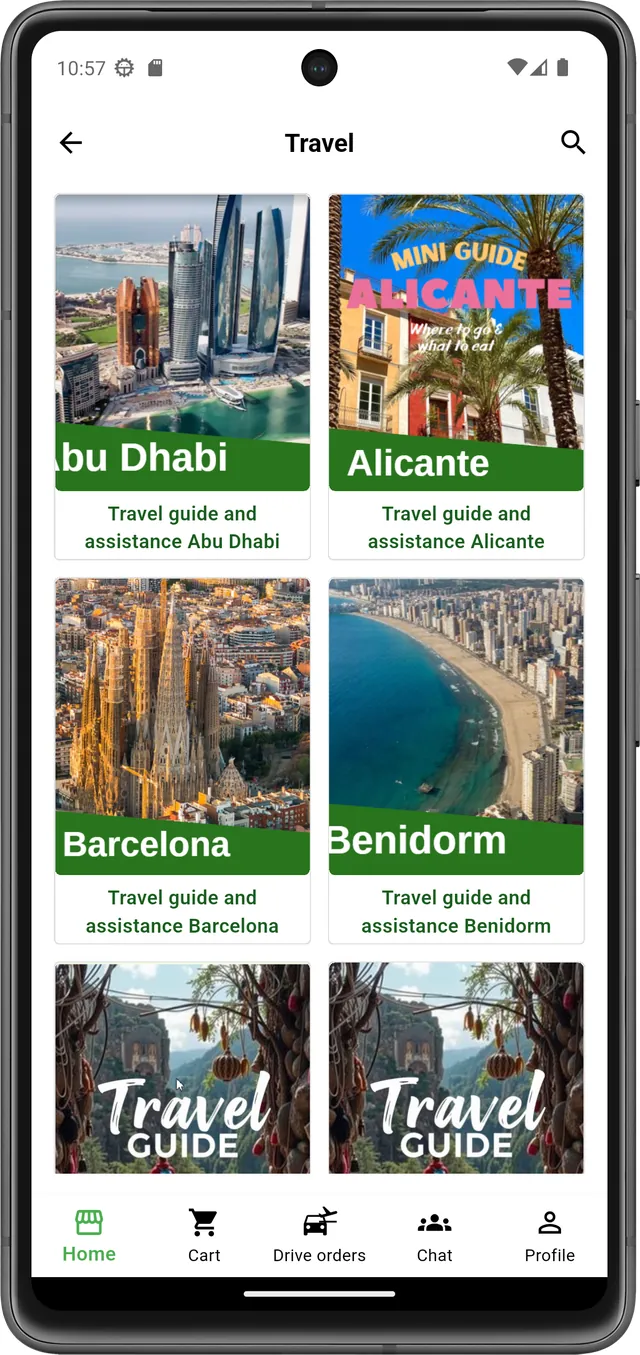
Livrare aplicații mobile sub brandul propriu al clientului, publicate în Apple App Store și Google Play, pornind de la framework-ul VOGO® MAF. Timp de implementare redus drastic față de dezvoltarea clasică — de la luni la săptămâni. Configurare vizuală completă din panoul Brand Control Center (splash, welcome, login, home, meniu, setări, temă), fără cunoștințe Flutter sau Swift. Funcționalități native: catalog produse și servicii, coș și checkout cu plăți online (Stripe, Netopia), gestionare comenzi, profil utilizator, hărți GPS, chat live, videoconferință, semnătură olografă digitală, mod offline, push notifications și asistent AI conversațional integrat.
-
e-Guvernare — portaluri de servicii publice către cetățeni
Implementare portale de servicii digitale pentru cetățeni, companii și profesioniști autorizați. Portal cu catalog complet de servicii organizat pe categorii, flux wizard în 4 pași (Descriere → Formular → Previzualizare → Trimitere), autentificare prin ROeID și eIDAS, integrare ONRC pentru date companii, conturi diferențiate pe profile (cetățean, societate comercială, profesionist autorizat), suport multi-language și asistent AI live integrat direct în formulare pentru ghidarea utilizatorilor în timp real.
Aplicații mobile native -
AI & automatizare inteligentă
Arhitecturi AI enterprise cu suport multi-provider LLM — Anthropic Claude, OpenAI GPT, Google Gemini, Ollama (on-premise), Groq, Mistral — comutare în timp real fără modificări de cod. Implementări RAG (Retrieval-Augmented Generation) pe baze de cunoștințe proprii, fără re-training, cu retrieval contextual precis. Orchestrare fluxuri agentic cu LangChain și LangGraph (state machines, bucle, condiții, Human-in-the-Loop). Observabilitate completă prin LangSmith. Conectare agenți la sisteme externe prin MCP (Model Context Protocol) — ERP, CRM, DMS, calendare. Embeddings și vector databases (Pinecone, ChromaDB, pgvector) pentru căutare semantică instantă. Chatbot AI conversațional 24/7, AI-assisted search, procesare și clasificare automată documente, automatizare fluxuri de lucru complexe.
-
Mobile apps enterprise & framework cross-platform
Aplicații mobile native iOS și Android, publicabile sub brand propriu în Apple App Store și Google Play, configurabile prin Brand Control Center fără cunoștințe Flutter, Android sau iOS. Arhitectură integrată Mobile App + Plugin Backend + REST API cu peste 200 de endpoint-uri, autentificare JWT, OTP, 2FA, social login, push notifications Firebase, mod offline, stocare securizată și sincronizare în timp real. Integrare cu backend-uri eCommerce existente — Shopify, WooCommerce, PrestaShop, Magento sau sisteme custom prin REST API. Capabilități pentru plăți Stripe SDK, Netopia, Apple Pay, Google Pay, chat live, videoconferință, GPS tracking, semnătură olografă digitală, documente PDF și aplicații pentru eCommerce, eServices, eGov, transport, loyalty, ticketing și B2B.
-
GIS & analiză geospațială enterprise
Soluții GIS enterprise pentru gestionarea, analiza și vizualizarea datelor spațiale, integrate cu portaluri, formulare digitale, aplicații mobile și dashboard-uri BI. Arhitectură open-standard cu GeoServer, OpenLayers și bază de date geospațială, suport WMS, WFS, WCS, WMTS, deployment cloud sau on-premise. GIS Viewer web pentru hărți vectoriale și raster, layere ierarhice, control vizibilitate, editare atribute direct pe hartă și desenare puncte, linii, poligoane. Integrare cu VOGO Portal și Forms prin câmp Map, geocodare adresă–coordonate, localizare solicitări, avize și dosare electronice atașate elementelor geografice. Analize spațiale, buffer, intersecții, proximitate, calcul distanțe și suprafețe, import/export SHP, KML, GeoJSON, CSV, GPX, GeoTIFF, DWG și DXF. Aplicații mobile pentru teren cu offline sync, citiri index, intervenții, semnătură olografă și PDF automat.
-
eCommerce enterprise & ecosistem digital integrat
Platforme eCommerce enterprise pentru lansarea rapidă de magazine online, site-uri de prezentare, aplicații mobile și servicii digitale, cu arhitectură Web + Mobile + API & Real-time Sync. Catalog produse, categorii, fișe detaliate, coș multi-vendor, checkout one-page, plăți online Stripe, Netopia, PayU, Apple Pay, Google Pay și facturare automată PDF. Sincronizare în timp real pentru produse, stocuri, comenzi, clienți și notificări. Capabilități pentru curierat, Drive Orders cu GPS, tracking comenzi, push notifications, chat live, videoconferință și Live View produs. Integrare AI pentru recomandări personalizate, asistent conversațional 24/7, detecție fraudă, scoring clienți, optimizare vânzări și dashboard-uri BI pentru rapoarte comerciale.
Selectează planul tau
Prezentare orientativă. Planurile pot fi personalizate în funcție de proiect.
FREE
Essentials
free /lună
VOGO space included
Alege Essentials-
Brand control center
- JWT secure autoconfigurator
- Brand splash image
- Brand logo
- Brand color
- Push message scroll to mobile app
- Version history
-
Mobile ready backend webservices
- Secure authorization
- OAuth2
- Brand admin services
- Categories services
- Products services
- Orders
- User profile
- Live text chat
- gmail/faceboog/apple login & register users
- User autorization
- MyCart web services
- checkout webservices
- Payment: cash on delivery
-
Mobile applications
- Google play app
- Apple store app
- Scan QR for brand control
- User authorization
- User registration
- Direct user communication
- Push messages from brand
- Product categories
- Product detail page
- My Cart
- Checkout
- Payment: Cash on delivery
- My orders
- My account
POPULAR
Essentials plus
€196 /lună
1 branded site
Alege Essentials Plus-
Brand control center
- Option to remove VOGO space and to keep only client branding
- JWT secure autoconfigurator
- Brand splash image
- Brand logo
- Brand color
- Push message scroll to mobile app
- Version history
-
Mobile ready backend webservices
- Secure authorization
- OAuth2
- Brand admin services
- Categories services
- Products services
- Orders
- User profile
- Live text chat
- gmail/faceboog/apple login & register users
- User autorization
- MyCart web services
- checkout webservices
- Payment: cash on delivery
-
Mobile applications
- All features from previous plan
- Google play app
- Apple store app
- Scan QR for brand control
- User authorization
- User registration
- Direct user communication
- Push messages from brand
- Product categories
- Product detail page
- My Cart
- Checkout
- Payment: Cash on delivery
- My orders
- My account
Enterprise
Enterprise
€ask /lună
1 site Enterprise
Alege Enterprise-
Brand control center
- All features from previous plan
- Special development based on particular needs and requirements
-
Mobile ready backend webservices
- Secure authorization
- All features from previous plan
- Special development based on particular needs and requirements
-
Mobile applications
- Propertary mobile app
- Asistance for publish in Google play
- Asistance for publish in APple store
- User authorization
- User registration
- Direct user communication
- Push messages from brand
- Product categories
- Product detail page
- My Cart
- Checkout
- Payments as requested
- My orders
- My account
- Application full customization based on request
- Firebase push notifications in pachet separat
- Map tracking
- Glovo style features for delivery
- Uber/Bold style features for trips/transport companies
SUPORT INTELIGENT + SALES ASSIST
Transformă chat-ul într-un canal real de vânzări, 24/7
VOGO AI Customer Support Plugin oferă răspuns instant, recomandări de produse în context și transfer fluent către operator uman. Rezultatul: experiență mai bună pentru client și conversii mai mari pentru business.
VOGO AI Based Chatbot — inteligență artificială reală, integrată direct în ecosistemul tău digital.
VOGO AI Chatbot este un plugin avansat pentru WordPress / WooCommerce, creat pentru afaceri care vor mai mult decât un widget de chat: un asistent operațional capabil să înțeleagă contextul utilizatorului, să execute acțiuni reale prin API și să transfere conversația către operator uman când este necesar.
Ce face diferit:
- AI multi-engine configurabil: OpenAI, Gemini, Croq, Rasa, Vask etc., cu reguli pe roluri (Basic, VIP, Support) și fallback pe primul engine disponibil.
- Acțiuni reale în contul utilizatorului: task-uri Agenda, Shopping List, adăugare evenimente, integrare WooCommerce (Faza C), transfer către operator uman.
- Securitate by design: autentificare JWT pe REST API, control pe roluri și autentificare obligatorie pentru acțiuni personale.
- Human Operator Mode: transfer automat către operator, thread dedicat, suport pentru text, imagini, fișiere, voce/video, unread badges și polling inteligent.
- WooCommerce ready: căutare produse, deschidere produs în aceeași pagină și integrare în fluxuri comerciale pentru conversie mai bună.
- UI modern: fundal transparent, checkbox-uri interactive, numerotare inteligentă, interfață minimalistă integrabilă în orice temă.
Arhitectură scalabilă pe faze: PoC Phase, B Phase (VIP + AI combinat + Agenda/Shopping), C Phase (WooCommerce + Human Operator), D Phase (Voice), E Phase (Final delivery review).
Ideal pentru: magazine WooCommerce, marketplace-uri, proiecte SaaS, aplicații mobile conectate prin API și platforme care vor AI real, nu doar marketing AI.
Concluzie: VOGO AI Chatbot transformă chatbotul dintr-un element conversațional într-un motor operațional AI — execută, înțelege, transferă și scalează în infrastructura digitală a afacerii tale.
Acoperire
Global contacts.